Category: Security testing

  • Top 5 HIPAA compliant software in 2025

    Top 5 HIPAA compliant software in 2025

    A mid-sized healthcare clinic was suddenly hit with a staggering $2.3 million HIPAA violation penalty. Their mistake? Relying on software that lacked the proper safeguards to protect patient data. 

    Overnight, their reputation crumbled, patients lost trust, regulators stepped in, and the clinic faced years of financial and operational recovery.

    In 2025, the stakes are even higher. The threat of cyber exposure evolves at a blinding pace, where even a technology stack fad suffers with one link misloaded in your tech stack, and sensitive health records can be exposed. 

    Choosing the right HIPAA compliant software is not only about compliance; it will also help ensure compliance, mitigate data security threats, decrease the chance of hefty fines, and work to reinforce the trust in your patients each and every day.

    Understanding HIPAA Compliant Software 

    HIPAA compliant software automates and simplifies the process of achieving and maintaining HIPAA compliance, making compliance easier for healthcare organisations, allowing them to protect sensitive patient data while meeting federal regulations.

    HIPAA compliant software neatly monitors, documents, and maintains an organisation’s HIPAA compliance and replaces manual processes with efficient and orderly digital processes. 

    Covered entities, including healthcare professionals and healthcare providers, are organizations subject to HIPAA regulations and are responsible for safeguarding electronic Protected Health Information (ePHI). 

    Why you Need HIPAA compliant software in 2025

    The way healthcare operates has changed, and so have the risks. Ensuring that every aspect of how your business operates aligns with HIPAA compliance standards and your policies and procedures is now more critical than ever.

    Here’s why HIPAA-compliant software is necessary:

    • Telehealth growth: There has been a great surge in virtual care, with a 300% increase since 2020. With the increase in digital care, moving patient data around means more potential for security risk.
    • High cost of breaches: According to reports, healthcare compliance software 2025 data breaches cost an average of $10.93 million, which is the most costly incident for all industries.
    • Automation saves time: Without HIPAA compliance automation software, Teams face manual audits. Auditing manually takes hundreds of hours and introduces human error. The best HIPAA compliance tools automatically complete risk assessments and provide HIPAA compliance checklists, highlighting gaps in real time.
    • Complex IT environments: Many clinics and hospitals are using multiple mobile devices and cloud apps, and incorporating third-party apps into their care efforts. Manually tracking compliance is essentially unmanageable, whereas compliance software makes it completely manageable.
    • Protecting patient trust: Beyond fines, best HIPAA compliance tools reassure patients that their sensitive data is safe. Visible HIPAA compliance efforts, such as regularly assessing and improving compliance processes, help build and maintain patient trust. 

    {{cta-image}}

    {{blog-cta-1}} 

    Top 5 HIPAA Compliant Software for 2025

    1. Drata

    Drata automates evidence collection and control monitoring so teams stay audit ready with less manual work. 

    It connects to your cloud stack and maps controls to HIPAA, SOC 2, and ISO in one place. The platform scales from startup to enterprise without adding process overhead.

    Key features

    • Continuous monitoring across cloud and identity
    • Automated evidence collection
    • 100 plus integrations
    • HIPAA audit readiness views

    Best for

    • Teams that want automation at scale
    • Healthcare startups and enterprises with complex stacks
    • Groups running multiple frameworks together

    2. Hyperproof

    Hyperproof focuses on risk and compliance within a single system, offering robust reporting. It gives leaders a single view of risks, controls, and tasks so audits move faster and with fewer surprises. Reporting for HIPAA is detailed and easy to share with auditors.

    Key features

    • Centralized compliance dashboard
    • Risk register and vendor risk tracking
    • Detailed audit trails
    • Rich HIPAA reports

    Best for

    • Organizations that want deep risk management
    • Teams that need strong reporting for executives and auditors
    • Programs that coordinate many control owners

    3. Sprinto

    Sprinto is built for speed and simplicity. It helps fast growing teams reach HIPAA readiness quickly with guided controls and real time checks. The product favors clear tasks and automatic audits over heavy processes.

    Key features

    • Real time monitoring
    • Automated controls with simple tasks
    • Auditor ready reports
    • HIPAA templates

    Best for

    • Fast moving companies that need quick readiness
    • Small teams that want minimal manual work
    • First time HIPAA programs

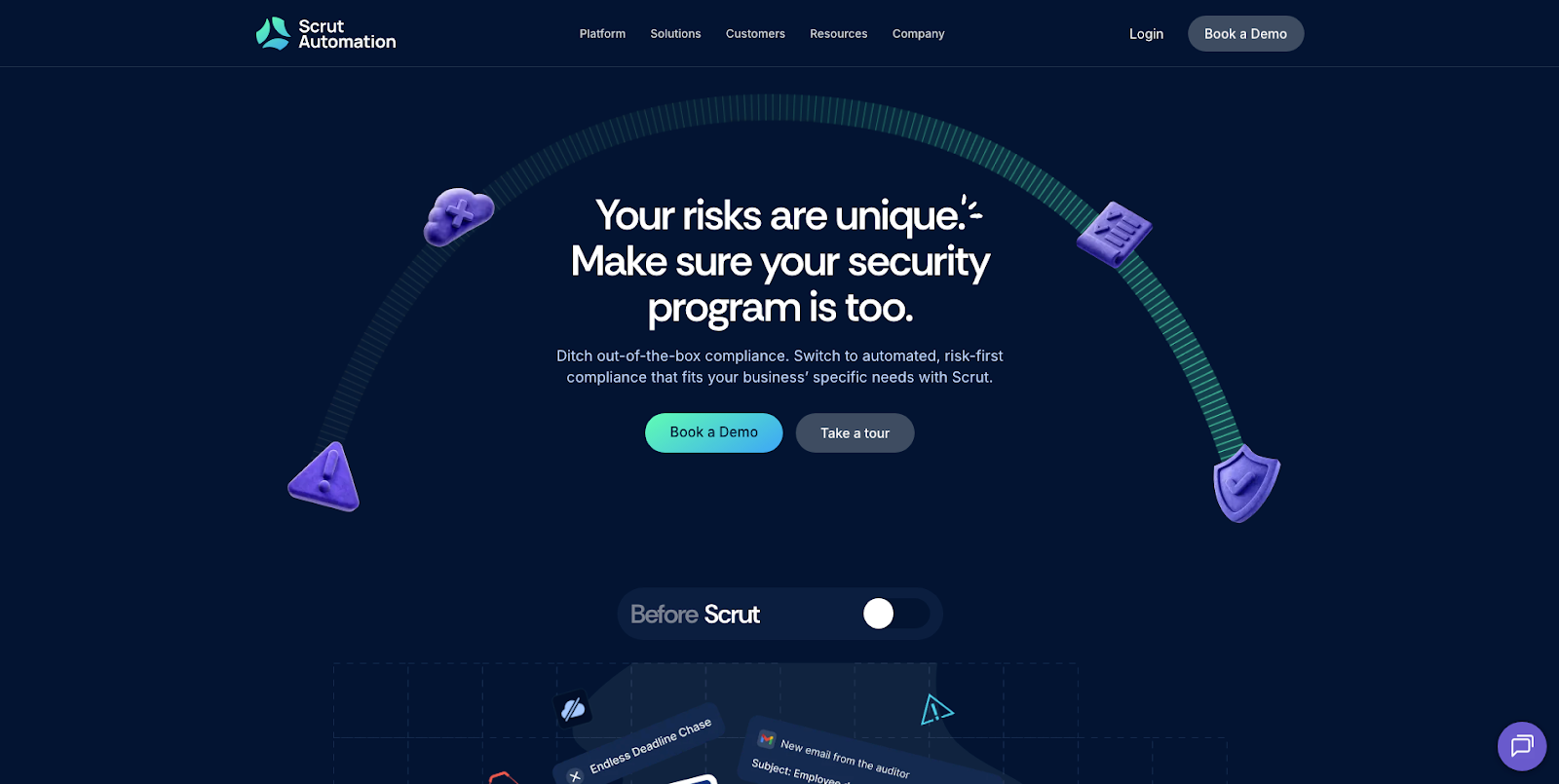
    4. Scrut Automation

    Scrut brings governance, risk, and compliance together for teams running multiple frameworks. 

    Policies, risks, and controls live in one place with automation that reduces duplicate work. HIPAA specific controls sit alongside SOC 2 and GDPR for full coverage.
    Key features

    • Policy management
    • HIPAA specific control library
    • Automated risk assessments
    • Continuous compliance monitoring

    Best for

    • Businesses managing HIPAA, SOC 2, and GDPR together
    • Teams that want one system of record for GRC
    • Programs that need reusable policies and controls

    5. Compliancy Group

    Compliancy Group is focused on HIPAA only with guided steps and hands on support. 

    It pairs software with training and coaching so clinics and providers can meet requirements with confidence. The approach is simple and very prescriptive.

    Key features

    • Step by step HIPAA checklist
    • Guided risk assessments
    • Employee training modules
    • Dedicated compliance coaches

    Best for

    • Clinics and providers that want HIPAA only
    • Teams that prefer guided setup with support
    • Organizations new to compliance programs

    {{cta-image-second}}

    Selection criteria and key features

    Covered entities and business associates must implement administrative, physical, and technical safeguards to comply with HIPAA and protect PHI. 

    When evaluating HIPAA compliant software, it is important to consider the essential features that ensure effective compliance and robust data protection.

    Key HIPAA compliant software features include: 
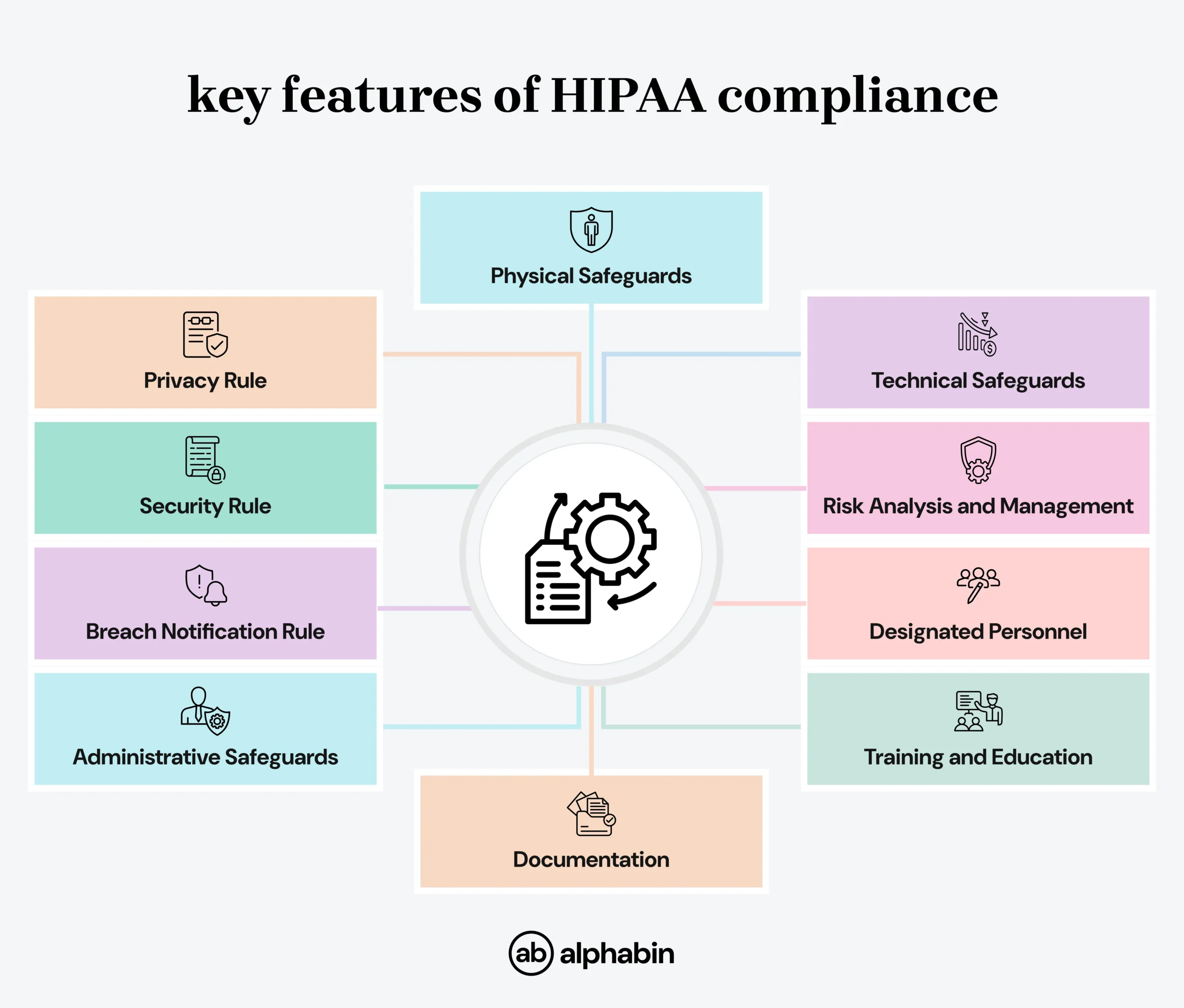
    key features of HIPAA compliance

    HIPAA Safeguards, Requirements and Pitfalls

    Area or Control Require and Verify Pitfalls to Avoid
    Administrative safeguards
    • written privacy and security policies
    • policy repository
    • role based access
    • periodic access reviews
    • vendor inventory with PHI flags
    • BAA tracker
    • No vendor due diligence
    • missing BAAs
    • no ongoing vendor oversight
    • outdated policies
    • unclear ownership and roles
    Physical safeguards
    • Facility access control
    • badge logs
    • device encryption, device inventory
    • MDM status
    • screen lock
    • secure media disposal
    • disposal certificates
    • Unencrypted devices
    • shared unlocked workstations
    • unmanaged assets
    • weak physical access controls
    Technical safeguards
    • SSO, MFA
    • least privilege
    • encryption at rest and in transit
    • TLS configuration
    • key management records
    • audit logs with retention
    • tamper evident logging
    • Unencrypted systems
    • weak authentication
    • default credentials
    • incomplete or short log retention
    • stale or shared keys
    Vendors and BAAs
    • Executed BAA before any PHI
    • renewal calendar
    • PHI data flows documented
    • security questionnaire or SOC 2 reviewed
    • ongoing vendor risk reviews
    • No BAA
    • unclear PHI scope
    • one time review only
    • trusting marketing claims without evidence
    Risk, training, monitoring
    • Periodic risk analysis
    • risk register with owners and due dates
    • remediation tickets
    • onboarding and annual training
    • completion logs
    • SIEM alerts
    • incident runbooks
    • postmortems and drills
    • No risk assessment
    • poor or infrequent training
    • lack of control verification
    • untested incident response
    • low alert coverage

    ‍

    {{cta-image-third}}

    Conclusion 

    Choosing the right HIPAA-compliant software in 2025 is about more than ticking regulatory boxes, it’s about safeguarding patient trust, preventing costly breaches, and ensuring long-term success. 

    Compliance tools can help manage audits and workflows, but true security requires making sure your software, integrations, and systems are HIPAA-ready from end to end. 

    That’s where Alphabin comes in. We provide specialized testing in healthcare application testing and security validation, helping organisations in identifying compliance weaknesses, improving data protection, and enabling operations for the future.

    When you have a trusted partner, compliance is no longer your problem but a strategic advantage providing automated tasks, lower risk, and letting your teams focus on what is most important – patients.

    Get started with Alphabin today and strengthen your HIPAA-compliance with trusted QA and security testing.

    FAQs

    1. How much does HIPAA compliant software typically cost? 

    Pricing ranges from $25 to $18,000 annually depending on organization size, features needed, and number of users.

    2. How long does it take to implement HIPAA compliant software? 

    Implementation times vary from 1-5 weeks, depending on the level of complexity of the organization and the platform you select.

    3. What kind of results will Alphabin give us?

    We provide clear reports, risk findings, and recommendations. These can be used as evidence for auditors, compliance officers, or management.

    4. Can HIPAA compliant software prevent all data breaches? 

    No software can prevent 100% of your risk of breach, however, the appropriate software tools would reduce the risk of breach by 90%+ with continuous monitoring and automatic safeguards.

  • HIPAA Compliance Requirements for SaaS Providers: Practical Guide

    HIPAA Compliance Requirements for SaaS Providers: Practical Guide

    Imagine a fast-growing SaaS startup finally wins a major healthcare client. Excitement fills the room until they are hit with a reality check: without meeting HIPAA compliance requirements, they can’t legally handle patient data. 

    For SaaS companies, this isn’t just about compliance, it’s about building HIPAA compliant SaaS solutions that clients can trust.

    Out of nowhere, the deal goes from being an innovation deal to being a survival deal. Without following this regulatory process, they stand to lose the account, and financial penalties could escalate upwards of $1.5 million per violation!

    For any SaaS provider wanting to do business in healthcare, one of the longest standing sectors of the U.S. economy, it is inconceivable to ignore the implications of being HIPAA compliant. It’s the difference between unlocking opportunity and facing costly setbacks. 

    What is HIPAA Compliance for SaaS? 

    There are four components of HIPAA compliance for SaaS: privacy, security, breach notification, and enforcement. 

    These components guide providers in the handling of their patients’ data, often referred to as Protected Health Information (PHI). 

    For SaaS providers, the HIPAA compliance requirement is more than just protecting the data. It means building secure systems, complying with a legal and regulatory framework, to provide healthcare clients with the assurance that the sensitive information of their patients is being protected.

    While the SaaS company often acts as a Business Associates of healthcare providers (covered entities) and likely has a BAA (Business Associate Agreement); a legal contract of how the information is stored, shared, and protected.

    {{cta-image}}

    Why do SaaS companies need to comply?

    SaaS companies must comply with regulations to manage risk, avoid fines, and ensure the security of sensitive customer data from breaches and misuse. Ensuring robust data security is essential to protect patient data from unauthorized access and maintain compliance.

    Complying with regulations earns customer trust, which matters because many users will not use a product that is not compliant. Many healthcare clients will not contract with SaaS vendors lacking robust HIPAA compliance requirements. 

    Why should SaaS companies comply?

    {{blog-cta-1}}

    Key HIPAA Principles 

    1. Privacy Rule

    Sets standards for how PHI can be used and disclosed. SaaS providers must follow the “minimum necessary” rule, ensuring only essential data is accessed or shared.

    2. Security Rule

    Requires reasonably secure administrative, technical and physical safeguards for electronic PHI (ePHI). Risk assessments, encryption, access controls and secure infrastructure are all required.

    3. Breach Notification Rule

    ​​The HIPAA Breach Notification Rule requires notification of all breaches of PHI to affected persons, HHS, and the media in some instances, usually within 60 days of detection.

    4. Enforcement Rule

    Describes how HIPAA rules and regulations can and will be enforced and provides penalties. Non compliance can lead to severe penalties, including jail time in the most serious violations. 

    Non compliance can lead to severe penalties, including jail time in the most serious violations.

    Core HIPAA Compliance Requirements for SaaS

    HIPAA compliance requirements should be a top priority for your SaaS business that operates with PHI. If you’re working with PHI in your application, infrastructure, and data storage, they must comply with HIPAA as part of an effective compliance program. 

    Basic HIPAA compliance for SaaS includes:

    Core HIPAA compliance for SaaS

    This acts as a practical SaaS HIPAA compliance checklist for providers.”

    Technical, administrative, and physical safeguards 

    To comply with HIPAA, SaaS providers must have three pillars of safeguards, which form the HIPAA security requirements for SaaS providers. 

    These requirements apply not only to SaaS providers but also to other covered entities such as healthcare clearinghouses and group health plan administrators.

    Safeguard Type Key Requirements
    Technical Safeguards
    • Access Control: Unique IDs, emergency access, auto logoff
    • Audit Controls: logged and monitored ePHI access
    • Integrity: Checksums/signatures to verify improper alteration
    • Authentication: Verifying user identity before PHI access
    • Transmission Security: Encryption of PHI (TLS 1.2 or higher)
    Administrative Safeguards
    • Security Officer: Appoint compliance lead
    • Workforce Training: Train all staff handling PHI
    • Access Management: Role-based controls, access reviews
    • Security Awareness: Continuous training and incident response
    • Contingency Plan: Backups and disaster recovery
    Physical Safeguards
    • Facility Access Controls: Secure locations with PHI
    • Workstation Controls: Restrict workstation access
    • Device & Media Controls: Policies for hardware/media with PHI
    • Data Center Security: Hosting facilities must meet HIPAA standards

    {{blog-cta-2}}

    Business Associate Agreements (BAA): The Legal Backbone for SaaS

    ​​Under HIPAA, covered entities and their business associates are required to have a Business Associate Agreement (BAA). 

    A BAA is a legal contract that obligates business associates (such as SaaS providers) to treat and protect Protected Health Information (PHI) appropriately conformed to HIPAA standards. 

    The covered entity creates and maintains PHI, and both parties must adhere to mandated HIPAA privacy requirements. 

    What is a BAA and why it matters

    A BAA (Business Associate Agreement) is a legal contract between the “covered entity” (the healthcare provider) and the “business associate” (a third-party vendor). 

    A BAA identifies roles and responsibilities for both parties in relation to protecting patient Protected Health Information or PHI.

    BAAs are mandatory under HIPAA. No BAA = No legal basis to handle PHI for U.S. healthcare clients.

    The BAA details permitted uses of PHI, required safeguards, reporting requirements for breaches, and liabilities. 

    Why does BAA matter?

    For the healthcare provider (covered entity):

    • Ensures compliance: Sharing PHI without a BAA is a breach of HIPAA and will result in significant legal and financial penalties from the U.S. Department of Health and Human Services (HHS).
    • Limits liability: A BAA clarifies that a business associate is legally responsible for safeguarding PHI. This can limit a covered entity’s liability in the event of a vendor breach.
    • Outlines responsibilities: The contract stipulates what the vendor can do with PHI. A BAA clearly defines the responsibilities related to the permitted uses and disclosures of PHI around the vendor’s use of snag.
    • Mandates breach reporting: It requires the vendor to notify the covered entity immediately after a data breach so the parties can act quickly.

    For the third-party vendor (business associate):

    • Legal necessity: For any business using PHI on behalf of a covered entity, a BAA is required to legally access this information.
    • Defines scope of use: The BAA defines what the vendor can and cannot do with the PHI. It provides guidance with a legal framework.
    • Extends accountability: The BAA requires that, if the business associate uses subcontractors, the subcontractors must also abide by the same HIPAA rules. The contract creates a chain of accountability.
    • Protects reputation: HIPAA compliance through a business associate agreement protects the vendor’s reputation and shows it is committed to patient privacy.

    {{cta-image-second}}

    Achieving HIPAA Compliance for SaaS

    Stepwise plan to get SaaS HIPAA compliant

    1. Identify and Map PHI Flows

    • What to do: Document where Protected Health Information (PHI) is collected, stored, transmitted, or processed across your system.
    • Why it matters: A clear data map is the foundation for compliance readiness. 

    2. Conduct a Comprehensive Risk Assessment 

    • What to do: Review for vulnerabilities (e.g., obsolescence software, internal mishandling, external threat), and determine threat impact. 
    • Why it matters: This HIPAA compliance risk assessment for SaaS ensures vulnerabilities are identified and addressed before they become liabilities.”

    3. Remediate Gaps

    • What to do: Address all identified risks, fix vulnerabilities, patch systems, tighten access controls.
    • Why it matters: Demonstrates proactive compliance and reduces liability.

    4. Implement Required Safeguards (Technical, Administrative, Physical)

    • Technical: Encrypt PHI, use role-based access controls, enable logging/auditing, secure authentication, and secure transmission (e.g., TLS).
    • Administrative: Appoint a HIPAA Security Officer, train workforce, define access management, conduct awareness training, and establish contingency plans. 
    • Physical: Securing your facilities, workstations, devices, managing media per HIPAA standards.

    5. Sign and Maintain Business Associate Agreements (BAAs)

    • What to do: Establish BAAs for clients and vendors who are accessing PHI (whether hosting, backups, or otherwise).
    • Why it matters: Legally binding agreements that clarify HIPAA responsibilities and protections. 

    6. Develop Incident Response & Breach Notification Plan

    • What to do: Create a process for incident response that outlines the steps: detection, containment, investigation, remediation, and notification.
    • Why it matters: Ensures timely and compliant breach management. 

    7. Document Policies & Conduct Regular Audits

    • What to do: Maintain written policies, logs, training records, and audit trails. Perform regular internal/external audits.
    • Why it matters: Keeps compliance proactive, verifiable, and evolving with threats or operational changes. 

    8. Continual Monitoring and Improvement

    • What to do: Update risk assessments, review and adapt policies, monitor vendors, and conduct ongoing staff training.
    • Why it matters: HIPAA compliance isn’t a one-time goal; it’s an ongoing journey.

    Practical Tips and Common Mistakes

    How to choose HIPAA-ready vendors

    Phase 1: Pre-Selection Vetting

    • Always enter into a Business Associate Agreement (BAA)
    • Review the BAA for data use, subcontractors, and breach notifications.
    • Request proof of compliance (HITRUST, SOC 2 reports).
    • Request risk assessments, policies, and client references.
    • Make sure they have a HIPAA officer and staff are trained.
    • Verify encryption, MFA, role-based access, and audit logs.
    • Verify data center security and restricted access controls.
    • Review the breach response plan and disaster recovery plan.

    Phase 2: Post-Selection Monitoring

    • Establish a vendor risk management program.
    • Conduct audits of vendors periodically, more frequently for high-risk vendors.
    • Review access/information logs and audit trails.
    • Leverage technology to continuously monitor risk.
    • Verify subcontractors have BAAs and manage risk. 

    {{cta-image-third}}

    Conclusion

    Achieving and maintaining HIPAA compliance requirements is not just an obligation to comply with a regulation; it establishes the foundation for trust in the healthcare sector. 

    For SaaS organizations, protecting the security and privacy of Protected Health Information (PHI) includes addressing every aspect of compliance, which includes key elements: technical safeguards, administrative procedures, vendor management, and ongoing oversight.

    This can feel overwhelming, but the right partner will make a big difference. Alphabin simplifies this process with our specialized healthcare testing and security testing services. 

    Alphabin validates that your platform is HIPAA-ready, secure, and trusted by both patients and providers by validating encryption and simulating breach scenarios.

    FAQs

    1. How does Alphabin help with HIPAA compliance?

    We provide compliance checks and security reviews to ensure PHI is secure, access is controlled, activities are monitored, data is encrypted, and risks are identified early.

    2. What are the key features of the best HIPAA compliance tools in 2025?

    The best HIPAA compliance tools include risk management, audit readiness reports, continuous monitoring, and HIPAA-specific control libraries. These features streamline compliance and protect sensitive patient data.

    3. Why should healthcare providers use HIPAA compliance automation software?

    HIPAA compliance automation software reduces manual audits, saves hundreds of hours, and minimizes human error. It ensures faster compliance readiness and stronger protection against costly data breaches.

    4. How do I choose the right HIPAA compliant software solution?

    Choose HIPAA compliant software that supports administrative, physical, and technical safeguards with strong vendor risk management. Look for tools that fit your organization’s size, IT complexity, and compliance needs.

  • DIY SOC 2 vs Using a Tool: Pros, Cons & Key Insights

    DIY SOC 2 vs Using a Tool: Pros, Cons & Key Insights

    At 3 AM, Sarah, the CTO of a rapidly growing fintech startup, was looking at SOC 2 compliance requirements scattered all across her desk. 

    Her team had been managing tracking controls manually for months, and with the company’s first SOC 2 audit only weeks away, she wondered, “Wouldn’t it have been better if we had invested in an SOC 2 tool?”

    This is a story that unfolds in countless companies every year. With the average SOC 2 compliance costs rising, the decision between internally developing processes or utilizing specialized tools can significantly impact your compliance journey.

    Whether you are a startup trying to secure your first enterprise client or an established organization looking to enhance your security posture, it’s essential to weigh the pros and cons to ensure you make informed decisions.

    Here’s the breakdown: this blog will guide you to understand both the approaches, and by the end, you’ll have the clarity to ensure what to choose between SOC 2 DIY and using a tool. 

    What is DIY SOC 2 Compliance? 

    Whether you take a DIY Audit approach or use compliance automation tools, you have several options for conducting a SOC 2 audit. 

    DIY (Do-it-yourself) SOC 2 means developing the entire compliance process internally without the use of specialized compliance automation software. 

    The team creates policies, tracks controls, collects evidence, and manages the audit controls manually. Depending on your specific needs, your review of controls and processes may require the use of spreadsheets, email, and file storage systems. 

    You may be required to rely on your internal teams to know and understand SOC 2 requirements and create new processes for the compliance audit and build everything from the ground up. 

    In essence, you are the compliance management system and act as if you had specialized compliance software, doing everything from risk assessments to continuous monitoring.

    {{cta-image}}

    Who typically chooses the DIY approach? 

    • A service organization,  rather than an individual, utilizes the ‘DIY SOC 2 approach.’ In which the companies providing services to other businesses (such as SaaS companies or cloud providers) decide to pursue DIY SOC 2 compliance. They implement controls themselves rather than hiring consultants or contracting a managed service.
    • Early-stage startups utilize a DIY way of completing SOC 2 when budgets are tight and when the only member of the technical team available to do it has the bandwidth for a SOC 2. Generally, smaller teams have limited compliance to monitor and are less technical, making it easier to manually keep track of at the start. 
    • Organizations with strong compliance expertise internally are more likely to take a DIY approach. Organizations where security professionals have been security professionals, or where they passed SOP 2 before, are less likely to feel they need to purchase tools or vendors to manage SOC 2 through an outsourced approach.

    {{blog-cta-1}}

    Why Do Teams Opt for DIY SOC 2?

    There are multiple reasons why teams may choose the Do It Yourself (DIY) approach to SOC 2 compliance; costs can be less, teams believe they have more control over the process, and the potential for internal capacity building.

    However, teams should weigh the potential advantages against the difficulties of navigating the complex SOC 2 requirements without professional help.

    Benefits of Using DIY Approach

    • Cost Savings: Avoiding the cost of hiring a consultant or purchasing a software solution can be a legitimate cost savings, even more so for startups or smaller organizations with limited budgets.
    • More Control & Ownership: Teams may choose to guide the entire process themselves because they expect to have a better understanding of their systems and controls compared to an external expert.
    • Building Internal Knowledge: Prioritizing a DIY approach provides teams with an opportunity to create internal knowledge regarding SOC 2 compliance and information security knowledge.
    • Faster Execution: Depending on the team’s comfort level with the requirements and existing controls, they may be able to conduct a DIY assessment and see it as a quicker initiative than when working with a consultant or software.  

    Key considerations of using Automation tools 

    Key Considerations Using Automation Tools

    SOC 2 Approaches: DIY vs Using a Tool 

    When it comes to SOC 2 compliance, organizations either go for a DIY approach or use a special tool.

    The DIY approach means that the organization manages the entire SOC2 compliance process all on its own. The tool, on the other hand, automates some portions of SOC2 compliance and streamlines many of the processes. 

    There are advantages and disadvantages to both methods, and which way to go will depend on the organization’s budget, resource availability, and how complex the organization’s systems are.

    A Quick Comparison 

    Aspect DIY SOC 2 Using a Tool
    Initial Cost Low (mainly labor) High ($2K–$50K+ annually)
    Time to Audit Ready 6–12 months 2–6 months
    Ongoing Maintenance High manual effort Automated monitoring
    Evidence Collection Manual processes Automated collection
    Error Risk High (manual processes) Low (automated checks)
    Customization Complete flexibility Limited to tool features
    Team Training Required Extensive SOC 2 knowledge Tool-specific training

    Pros and cons

    Approach Pros Cons
    DIY SOC 2
    • Lower upfront costs
    • Complete control over processes
    • Deep internal expertise development
    • No vendor dependency
    • Custom workflows
    • Flexible implementation timeline
    • High time investment
    • Prone to human error
    • Difficult to scale
    • Manual evidence collection
    • Requires compliance expertise
    • Risk of missing requirements
    Using a Tool
    • Faster implementation
    • Automated evidence collection
    • Reduced error risk
    • Built-in best practices
    • Scalable processes
    • Continuous monitoring
    • Higher ongoing costs
    • Vendor dependency
    • Learning curve for tools
    • Less customization
    • Potential integration challenges
    • Tool-specific limitations

    Which One Should You Choose?

    Your approach will depend on your company’s size, growth stage, expertise, and resources. To clarify: 

    The DIY approach is most appropriate when: 

    • You are at the startup stage with a limited budget
    • You have a small team and a few controls to monitor
    • You have in-house compliance or security experience
    • You want to have total control over your SOC 2 process.
    • You are comfortable manually managing documentation, evidence collection, and audits.

    A tool or platform is most appropriate when:

    • You are scaling quickly and need to make compliance efficient at scale
    • You want to automate evidence collection, testing, and reporting
    • You do not have anyone on your team with dedicated security or compliance expertise
    • You want to save time, reduce human errors, and become audit-ready with less stress.

    {{cta-image-second}}

    Low-complexity startups may initially go the DIY route, but as they scale their company or prepare for enterprise deals, a social compliance engine can get them there faster, smarter, and with audit trails. 

    Conclusion 

    So you might be wondering: should I DIY my SOC 2 or use a tool to get compliant?

    Whereas DIY can give you control and save money in the short run, a tool-based approach provides further efficiencies and less risk, as well as a faster route to compliance.

    Finally, do not forget that the best method is which helps you pass your audit and simultaneously build a culture of sustainability for tomorrow.

    Whether do-it-yourself or tool-based, we want to be a compliance culture that is driven by security and not ‘check the box’ when it comes to complying.

    FAQs 

    1. Can I switch from a DIY to a tool mid-process?

    Yes, but it is better to decide early—switching late may require some rework and can create delays. 

    2. What is the minimum team size for effective DIY SOC 2?

    At a minimum, you want at least one part-time expert (20+ hrs/week) plus support from IT, HR, and leadership. Very small teams may struggle. 

    3. How long does DIY SOC 2 take compared to using a tool?

    DIY takes anywhere from 6 to 12 months; using a tool can shorten it to 2 to 6 months, depending on the size of the team and readiness. 

    4. Do compliance tools guarantee a successful audit?

    No. Tools can help you automate and organize, but the successful outcome of the audit ultimately comes down to your policies, practices, and execution by your team.

  • SOC 2 Checklist for SaaS Teams: What You Need to Know

    SOC 2 Checklist for SaaS Teams: What You Need to Know

    You just landed your biggest deal ever. An enterprise client is ready to sign a million-dollar deal, but there’s one non-negotiable: they need your SOC 2 report in 90 days.

    Now you’re in trouble. Internal controls, access policies, logging, vendor due diligence it all hits at once. The team is Googling terms like “SOC 2 Type II” and “audit readiness,” trying to make sense of what feels like a regulatory jungle.

    This happens every day in fast-growing SaaS companies. Not because teams lack effort, but because they lack a clear, actionable SOC 2 checklist. 

    Without the checklist, the audit gets delayed, teams become frustrated, and growth slows down. But the right checklists can turn your confusion into clarity.

    This guide will help you solve all your doubts, troubles, and you will be able to pass SOC 2 compliance with confidence. 

    What is SOC 2 compliance?

    SOC 2 stands for Service Organization Control 2 and is a framework developed by the American Institute of Certified Public Accountants (AICPA). 

    SOC 2 specifies how organizations, like SaaS organizations and cloud service providers, can protect and secure customer data while ensuring the security, availability, confidentiality, processing integrity, and privacy. 

    SOC 2 is not just a law or regulation. It is a voluntary compliance standard.  

    However, for some organizations that are involved in handling sensitive customer data, being SOC 2 compliant is now effectively a business necessity, especially when working with larger businesses or in regulated industries

    Why do SOC 2 compliance checklists matter? 

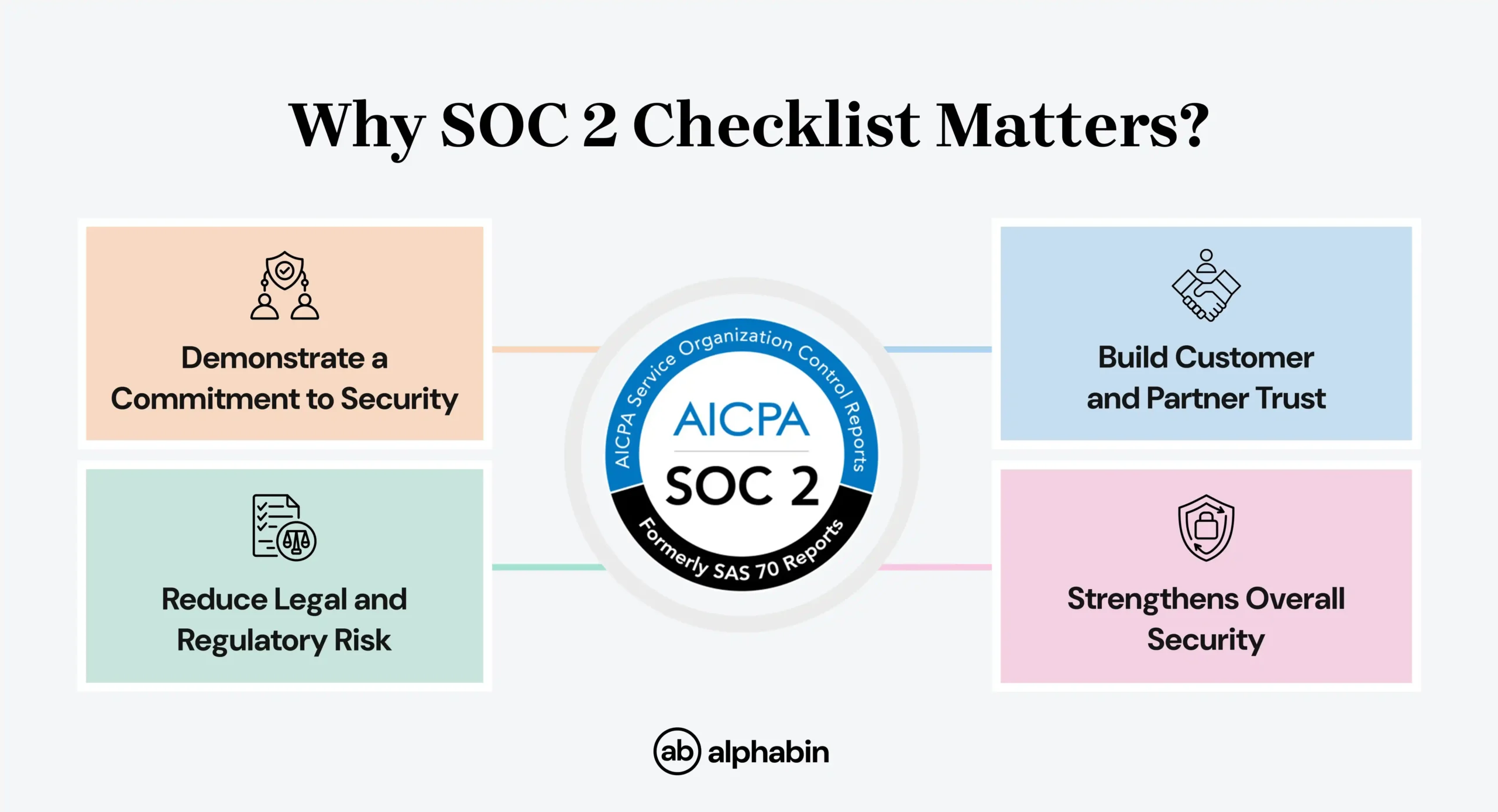
    A SOC 2 compliance checklist is useful because it provides organizations a reasonable and attainable path to demonstrate they care about data security and privacy – creating trust in customers and partners.

    Why SOC 2 Checklist Matters?

    {{blog-cta-1}}

    Preparing for SOC 2 

    Achieving SOC 2 compliance requires some preparation. Getting audit-ready will take several months of preparation, planning, and checking a massive checklist. 

    As part of this process, conducting a gap assessment helps identify areas that need improvement before the audit.

    Before you go digging into the SOC 2 checklist, you should define what the audit will cover. Defining the audit scope prevents wasted effort and will help ensure you have a successful audit.

    Define Scope and Objectives

    The SOC 2 scope defines the specific systems, data, and controls that a service organization will be evaluated on during a SOC 2 audit. 

    It describes the boundaries of the audit so that the organization will know which parts of its operations and infrastructure fall under the SOC 2 criteria. The scope should include all of the organization’s systems that process or store customer data.

    Also, identify the systems, services, teams, and infrastructure that store or process customer data. Only include what’s relevant; too broad a scope can increase cost and complexity.

    Objective of SOC 2: 

    • To demonstrate that a service organization manages customer data securely and effectively with “trust service criteria”,  security, availability, processing integrity, confidentiality, and privacy of that data.
    • To ensure the effectiveness of the organization’s controls in meeting the trust service criteria.
    • To decide why you are getting SOC 2? Is it to meet customer requirements? Enter enterprise markets? Or improve internal security? 
    • Your objective will determine how you prioritize controls and timelines.

    Best Tools to Use for SOC 2 checklists 

    Instead of doing SOC 2 compliance manually, consider using specific tools to automate your compliance program. 

    The correct compliance automation tools will eliminate a lot of the manual, time-consuming, and resource-intensive repetitive tasks performed throughout the compliance process.

    Such as gathering evidence, performing risk assessments, managing policies, reviewing user access, managing vendor risk, and preparing for an audit.

    Tool Best For Key Features Pricing Range
    Vanta Small to mid-size SaaS Automated evidence collection, 150+ integrations, continuous monitoring $3,000–$12,000/year
    Drata Growing companies Risk assessment automation, policy templates, and audit management $4,000–$15,000/year
    Scytale Security-focused teams Advanced compliance automation, custom frameworks $5,000–$20,000/year
    Scrut Multi-framework compliance SOC 2 + ISO 27001 + GDPR support, centralized dashboard $3,500–$18,000/year
    Secureframe Fast-growing startups Quick setup, pre-built policies, automated testing $2,500–$10,000/year
    Sprinto International SaaS Global compliance support, extensive integrations $4,000–$16,000/year

    The Ultimate SOC 2 Checklist  

    A SOC 2 checklist is your roadmap to compliance. Without proper management, teams miss requirements or waste time on unnecessary activities. 

    To ensure comprehensive coverage, your SOC 2 checklist should include business processes and control activities, so that all relevant workflows and specific controls are addressed.

    What should be in the SOC 2 checklist?

    An SOC 2 checklist should be related to the 5 Trust Services Criteria (Security, Availability, Confidentiality, Processing Integrity, and Privacy) and the controls required to meet those criteria.

    {{cta-image}}

    Your SOC 2 checklist should cover 5 main areas: 

    • governance and risk management, 
    • security controls implementation, 
    • documentation and evidence collection, 
    • audit preparation.
    • Third-party risk management.

    Start with policy development; you’ll need information security policies, incident response procedures, vendor management protocols, and employee training programs. 

    Internal control is a foundational element of SOC 2 compliance, ensuring that your policies and procedures are effective and meet audit requirements.

    SOC 2 compliance checklists: Step-by-step 

    1. Define your scope

    What to do: Make a list of all systems, processes, people, and third-party services in your and your customer’s organizations that interact with customer data.

    How to do it: Start with how the data flows through your product and in your infrastructure. You will want to include backend services, integrations, the DevOps pipeline, and any 3rd Party tools etc.

    2. Choose Trust Services Criteria (TSC)

    What to do: Choose the SOC 2 principles that apply to your product.

    How to do it: Security is always required. Choose Availability if you offer uptime or SLAs. Add confidentiality if you handle sensitive or proprietary info.

    Include Privacy only if you collect personal or regulated data (like GDPR or CCPA). AICPA guidance is a good reference, or have a consultant assist if you are uncertain.

    3. Perform a Risk Assessment

    What to do: Identify potential threats and vulnerabilities to systems, data, or operations.

    How to do it: Evaluating risks is an important part of the process. Document potential threats. Consider all forms of threat, including unauthorized access, loss of workstation data, downtime, etc. 

    Assess the likelihood of each of the potential threats occurring and determine how serious a threat/impact it would represent.

    4. Build Internal Security Controls

    What to do: Build technical and procedural defenses to help reduce risk.

    How to do it: Implement controls that address the identified risks. Use least privilege or have IAM tools to help you with least-privilege e.g.; AWS IAM and Okta.

    Enforce MFA for all systems. Define change management through code reviews and approvals.

    5. Implement the documentation process

    What to do: Document your security policies and how controls work.

    How to do it: Use a shared space, like Notion or Confluence, to capture information. Write short policies on data access, onboarding, vendor management, and incident response.

    6. Monitoring and Logging

    What to do: Log access to systems and sensitive operations.

    How to do it: Log across cloud infrastructure, apps, and tools. Use Datadog, Panther, or native cloud logs.

    Monitor for login anomalies, permission changes or file access. Use monitoring tools to detect vulnerabilities in your systems. Store logs for 12+ months and review periodically or during incidents.

    7. Conduct readiness Assessment

    What to do: Test your audit readiness before the auditor comes.

    How to do it: Run a self-assessment with an SOC 2 checklist. Or use Vanta or Secureframe to automate it. Identify and remediate control gaps in documentation, logging, or control coverage. Evaluate the operational effectiveness of your controls during this assessment.

    8. Select an auditor

    What to do: Hire a CPA firm with SOC 2 experience to do your audit.

    How to do it: Choose a firm that knows SaaS products and cloud infrastructure. Look for Prescient Assurance, BARR Advisory, or A-LIGN.

    Ask about their experience, tools, and audit process. Request a sample report and check client references if needed.

    {{cta-image-second}}

    9. Schedule Your SOC 2 Audit

    What to do: Decide the type of audit, how soon you will do it, and your evidence collection methodology.

    How to do it: A Type I audit will mean testing controls at one point in time; a Type II audit will mean reviewing controls over a period of time. 

    There is a mandatory observation period, which is the time it takes from completing a Type I audit to commencing a Type II audit, during which ongoing monitoring continues to provide direct evidence that the controls are still effective.

    10. Remediate Gaps and Issues

    What to do: Remediate any gaps in controls that were identified in the readiness or audit.

    How to do it: You should track gaps via a ticketing system like Jira. You may want to assign owners to each identified gap; this will provide accountability, and you can specify timelines for remediation.

    Streamlining SOC 2 for SaaS Teams

    Numerous SaaS teams undertake SOC 2 compliance reactively and, as such, create a confrontation that often leads to avoidable stress or inefficiencies.

    Understanding how to avoid common pitfalls and applying more efficient workflows can greatly reduce the amount of heavy lifting your team does. 

    If you have designated a compliance manager who manages the overall process with all of the requirements across the board in mind, you’ll have a smoother process.

    Evaluating the compliance posture of your organization on a regular basis is a tremendous way to keep yourself away from challenges and to maintain readiness for SOC 2 compliance.

    SOC 2 mistakes SaaS teams make 

    Mistakes SaaS Teams Make with SOC 2 Checklists

    Tips to streamline the process 

    1. Start with a Readiness Assessment

    Do a gap analysis before you even engage an auditor. Use internal checklists or tools like Vanta, Drata, or Secureframe to find missing controls early. So you don’t get surprised during the actual audit.

    2. Use Compliance Automation Tools

    Streamline evidence collection, control tracking, and policy monitoring. You can use 3rd party tools like Vanta, Drata, and Scrut that integrate with AWS, GitHub, G Suite, Okta, and other services to collect audit logs, access reviews, and system configurations.

    Make sure organization controls are embedded in your routine system operations to maintain compliance and support ongoing audit readiness..

    {{blog-cta-2}}

    3. Limit and Clearly Define Scope

    Don’t overcomplicate by including every tool or service.

    Focus only on systems that touch customer data. Document what’s in-scope vs out-of-scope and review it with your auditor early.

    4. Centralize Policies and Documentation

    Use a single, shared resource (Notion, Confluence, or Google Drive) for all documentation related to compliance.

    Have version control, assign document owners, and organize the documents process by TSC (Trust Services Criteria) to ensure audit-friendly documentation. 

    5. Assign a Compliance Owner

    Appoint an individual (Ops, Engineering, or Security) to be the SOC 2 owner. 

    This individual will act as an intermediary between teams, manage tools, track deadlines, and communicate on behalf of the company with the auditor. 

    6. Integrate Security into Daily Workflows

    Make security and compliance second nature. Incorporate action items in GitHub PR (pull request) templates for change control, use Slack workflows for access requests, and use ticketing tools (like Jira) to log controllable activities.

    Post-Audit: What’s Next 

    • SOC 2 is a Continuity Process: Most customers (on average) expect a SOC 2 Type II report, once annual re-issue is standard. Service organizations establish trust with their clients through repeated engagement on SOC 2 reporting and tightening up engagement in the compliance assessment process.‍
    • Plan On Compliance Reviews: Setting a continuous compliance review quarterly will allow an organization to consider itself audit-ready for 12 months of the year.‍
    • Keep collecting evidence:  Continue to collect audit evidence continuously (logs, access records, policies)‍
    • Update As You Go:  Update your policies and controls as changes take place in your systems or tools, or team structure.‍
    • Assess change: Assess any new system or process on the basis of SOC 2 before implementation.‍
    • Track:  Keep tabs on growing expectations as compliance and frameworks evolve. Also, keep timely and accurate reporting for financial benefit, ongoing compliance, or audit at the additional touch point along the journey.

    Conclusion

    Attaining SOC 2 compliance is an important milestone — but maintaining compliance is where the hard work (and trust) starts.

    For SaaS teams, it is not merely about preparing for an audit; it requires developing a scalable culture of security, accountability, and operational excellence throughout the company.

    At Alphabin, we’ve partnered with high-growth software companies to not only get ready for SOC 2 compliance but also work with them to embed quality assurance and security practices into their processes in a sustainable way. 

    {{cta-image-third}}

    Including gap identification, control testing, effectiveness, and automating evidence collection, we provide companies the level of technical depth that modern SaaS teams need to move exceptionally fast — without cutting corners.

    If you’re preparing for SOC 2 or looking to reduce the complexity of ongoing compliance, partner with Alphabin and make compliance a competitive asset rather than a burden. 

    FAQs

    1. Can small SaaS startups become SOC 2-compliant?

    Yes, but they should think of automation tools and start with Type I audits.

    2. How long is an SOC 2 report good for?

    An SOC 2 Type II report is typically good for 12 months.

    3. How long does it take to achieve SOC 2 compliance?

    Typically, 6–12 months. With strong security practices, you might only need 4–6 months.

    4. What if we fail the SOC 2 audit?

    You’ll receive a list of issues to resolve, and when you resolve them, the auditor can re-test and may only delay your report.

  • What is SOC 2 Compliance: Why You Need It in 2025

    What is SOC 2 Compliance: Why You Need It in 2025

    Imagine you’re closing a big deal with a Fortune 500 client. Everything looks good until they ask, “Are you SOC 2 compliant?” If you can’t answer with confidence, that deal might slip away.

    By 2025, with a threat landscape that evolves daily and customer trust is challenging to acquire, SOC 2 compliance has become the new baseline for doing business for SaaS, cloud services, fintech, and digital health vendors. 

    SOC 2 is not merely a checklist of compliance or preparation for an audit. It’s a framework that demonstrates your organization’s commitment to data protection, system reliability, and client privacy.

    This blog is your complete guide to what SOC 2 compliance is, why it’s more relevant than ever in 2025, and how your service business can benefit from it.

    What is SOC 2 Compliance? 

    SOC 2 – Service Organisation Control 2 is a framework that was developed by the American Institute of Certified Public Accountants (AICPA) in 2010 for service organisations that store, process, or transmit customer data in the cloud.

    While other security frameworks emphasize the technical aspects of setting up a system, SOC 2 focuses primarily on the operational processes involved.

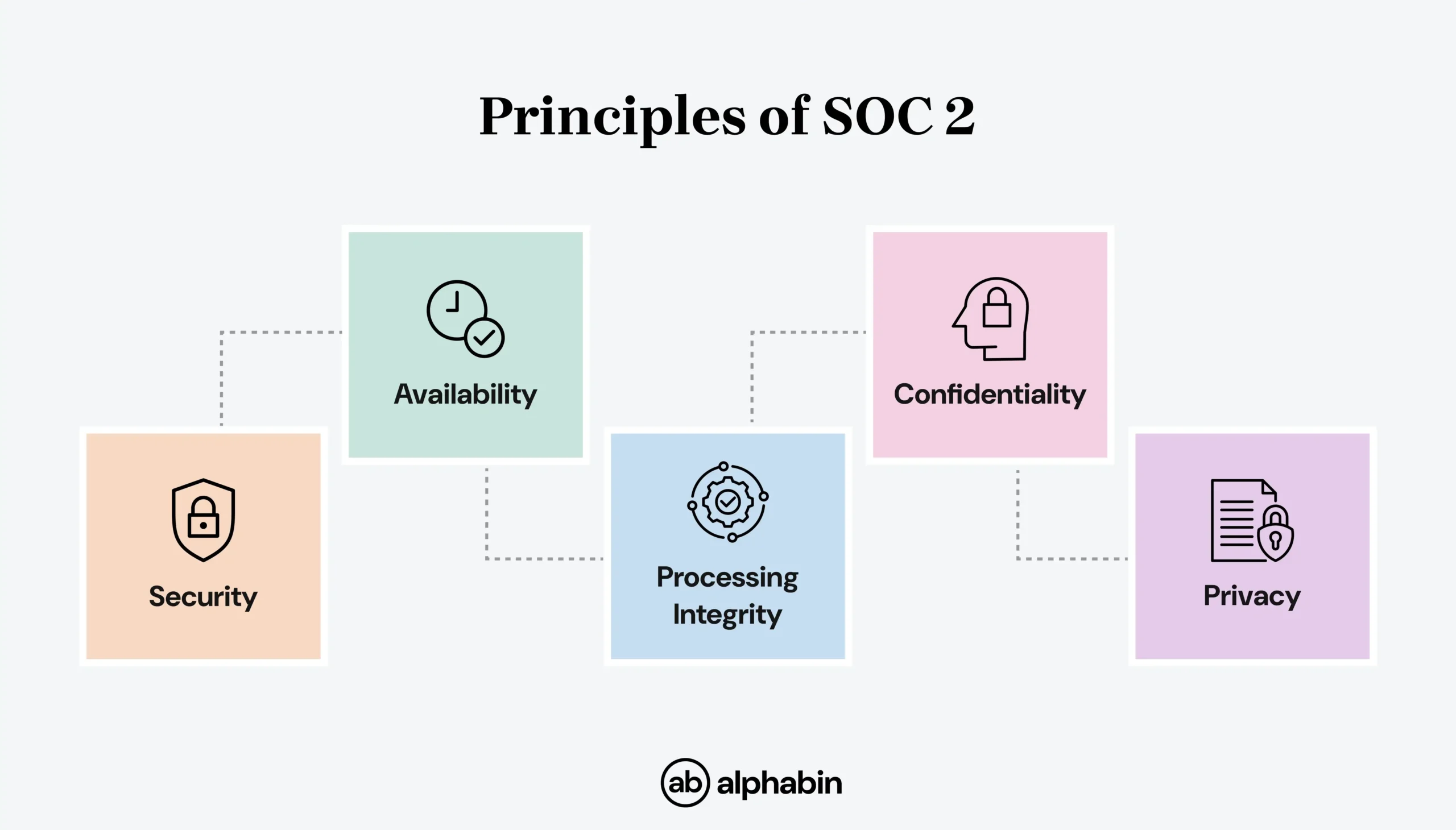
    SOC2 builds on a framework with five “Trust Service Criteria.” Those are: Security, Availability, Processing Integrity, Confidentiality, and Privacy.

    The primary goal of the SOC2 framework is to verify that companies have reasonable controls to protect data. In short, SOC 2 compliance is the evidence that a company can be trusted to protect your data.

    {{cta-image}}

    {{blog-cta-1}}

    Principles of SOC 2 

    Principle of SOC 2

    SOC 2 is based on five key principles that are collectively known as “trust service criteria.” 

    Security: Ensures that the system is protected against unauthorized physical and logical access. 

    Availability: ensure that the system and its data are available for operation as contracted.

    Processing Integrity: The processing of any system is complete, valid, accurate, timely, and authorized. 

    Confidentiality: Information designated as confidential will be protected as committed or agreed. 

    Privacy: ensures that Personal information or personal data are collected, used, and handled properly under privacy principles and regulations. 

    SOC1 vs SOC2 vs SOC3  

    Aspect SOC 1 SOC 2 SOC 3
    Primary Focus Financial reporting controls Data security and operational controls Public summary of SOC 2
    Target Audience Auditors and financial stakeholders Customers, vendors, regulators General public and prospects
    Detail Level Detailed financial controls Comprehensive security assessment High-level summary
    Trust Service Criteria Not applicable 5 TSC principles Based on SOC 2 TSC
    Best For Financial service organizations Technology and SaaS companies Marketing and sales purposes
    Audit Duration 3–6 months 6–12 months Based on existing SOC 2

    SOC2 Compliance: Type I and Type II Reports 

    SOC 2 compliance has two types of reports: Type 1 and Type 2. 

    What are Type 1 and Type 2 reports?

    SOC 2 Type I

    This report looks at your controls at a point in time and essentially verifies that your security policies and systems are indeed in place right now.

    In effect, it is a snapshot, verifying that controls are designed appropriately and have been operationalized. 

    However, it does not test and verify whether those controls are operationalizing as intended over time. 

    SOC 2 Type II

    This report takes it one step further. It verifies that those controls are indeed operationalized and are working as intended over time. 

    Type II report demonstrates evidence that your controls not only operationalize as intended on paper, but function in practice, day after day, over the course of time. 

    More specifically, the Type 2 audit includes detailed testing of control activities, verifying that controls were operationalized over the audit testing period, as well as verifying that exceptions to the controls have been appropriately actioned. 

    {{blog-cta-2}}

    What makes it different?

    Factor Type 1 Report Type 2 Report
    Time Period Point-in-time assessment 3–12 months of operation
    Focus Design of controls Design and operational effectiveness
    Duration 2–4 months 6–12 months
    Cost Lower cost ($5k–$25k) Higher cost ($7k–$50k)
    Market Value Limited acceptance Preferred by customers
    Testing Scope Control design only Control design + operational testing
    Report Validity Snapshot view Demonstrates sustained compliance
    Evidence Required Policies and procedures Ongoing operational evidence
    Customer Preference Rarely accepted by enterprises Standard requirement for B2B sales

    Many customers and prospects prefer Type 2 reports because they show reputable and consistent security practices rather than just good intentions.  

    Why SOC 2 Compliance Matters More in 2025? 

    SOC 2 compliance matters more now in 2025 because of increased cyber threats, the importance of data security for businesses, and a greater need to establish trust with customers and business partners.  

    It has already become a necessity, not only for SaaS companies but for any business that handles sensitive data. 

    Benefits of being SOC 2 Compliant 

    SOC 2 compliance delivers several benefits for the organization, primarily showing commitment to strong data security and trust with customers and partners. 

    Benefits of SOC 2 Compliance

    Why do you need SOC 2 in 2025? 

    When it comes to 2025, SOC 2 compliance will be increasingly essential for any service organization processing customer data to demonstrate a continued commitment to security and trust with clients and partners. 

    In the end, compliance will provide an organization with the opportunity to have a more mature security infrastructure, identify revenue streams, and pursue projects requiring organizations to obtain compliance.  

    • AI and Machine Learning: As you add AI monitoring and advanced threat detection, SOC 2 is the framework to ensure it’s done securely.
    • Zero-Trust: Modern security requires validation of every access request. SOC 2 matches zero-trust principles.
    • Remote Work: With remote teams here to stay, SOC 2 ensures security practices are consistent across all work environments.
    • Supply Chain: Customers are looking at their vendors’ security practices. SOC 2 offers the demanded transparency. 
    • Data privacy regulation: As privacy legislation becomes increasingly global, SOC 2’s criteria for privacy provide organizations with a way to comply with a range of jurisdictions. 

    SOC2 Compliance: Tools and Platforms

    Achieving SOC 2 compliance will require tools and platforms that can manage controls around security, automate processes, and streamline the audit process. 

    Going modern in SOC 2 compliance doesn’t have to be a manual disaster. The right tools can handle a lot of the heavy lifting automatically. 

    Compliance automation tools 

    1. Drata:  Monitors continuously, collects evidence automatically, and sends real-time alerts to keep your SOC 2 controls on track, for scaling companies looking for hands-off compliance that grows with them.
    2. Vanta: Automates compliance tasks and integrates with HITRUST CSF, perfect for healthcare and SaaS companies.
      Simplifies vendor risk management with customizable workflows.
    3. Secureframe: Walks you through SOC 2 readiness with policy templates and AI-powered issue resolution. Also helps in fixing gaps quickly.
    4. Sprinto: For high-growth teams needing strong automation and support for several frameworks like SOC 2, ISO 27001, and GDPR Compliance.  
    5. DuploCloud:  Automates SOC 2 controls into your DevOps workflows, saving engineering time.
      For cloud-native teams who want security without slowing development.

    {{blog-cta-3}}

    SOC2 Audit: What you Need to Know? 

    A SOC 2 audit is an assessment done by an audited professional who checks that the company protects customer data properly and safely. 

    The audit verifies how a company secures data, who can access that data, and verifies that they have the appropriate security processes in place. 

    Upon successful completion of the audit, the organization receives a SOC 2 report, which provides clients and partners with assurance that they can have confidence in the organization’s systems. 

    In short, view a SOC 2 audit as a report card signifying the care and seriousness the organization gives to data protection.   

    Who can perform a SOC 2 audit? 

    Only licensed CPA firms or firms approved by the American Institute of Certified Public Accountants (AICPA) can complete SOC 2 audits.  

    The auditor or auditing firm also must be an independent certified public accountant (CPA), which means they are not associated with the service organisation they conduct the audit for. 

    Not all CPAs are qualified to conduct these audits. Qualified Auditors Are: 

    • Licensed CPAs with experience in SOC reporting
    • CPA firms specializing in SOC audits
    • Auditors trained and certified in Trust Service Criteria 

    SOC2 audit process: step-by-step 

    Step- 1:  Define your scope 

    • Decide what systems, processes, and data will be included in your audit. Determine which Trust Service Criteria to include. 
    • Security is required, but then you have the choice to include Privacy, Confidentiality, Availability, or Processing Integrity based on your type of business and client expectations. 

    Step- 2:  Organise your internal policies and controls 

    • You’ll need to have written security policies, such as access controls, encryption standards, incident response plans, and documented technical controls to have a completed SOC 2 audit.  
    • You can use internal controls to show how you’re adequately and consistently protecting data across your organization, as stated in your policies and procedures. 

    Step- 3: Conduct readiness assessment

    • Readiness assessments basically mean mock audits, and they help you find any gaps or weaknesses before the actual audit. 
    • You can conduct them yourself, or you can have a consultant perform them.

    Step- 4: Select an Auditor 

    • SOC 2 audits must be performed by an independent CPA firm that is properly accredited through the AICPA.
    • Identify an compliance auditor or firm that has experience within your industry because they will thoroughly review your documentation, processes, and systems to prepare your report. 

    {{cta-image-second}}

    Step- 5: Go through the audit

    • For Type I, the auditor will look for one thing. Have your company’s controls been designed and put in place on the selected date? 
    • For Type II, the auditor will consider how well those controls have been in place and worked over a while (typically 3 to 12 months). 
    • Plan on being interviewed, document reviewed, system walkthroughs, and evidence collected. 

    Step- 6: Receive your SOC 2 report 

    • When the audit is complete, you will end up with a SOC 2 report, which includes a description of your system, the auditor’s opinion, and the results of their testing. 
    • This report is what you are supposed to share with customers or partners and will show that your organization is at a respectable level of industry performance in terms of data security and reliability.

    Step 7: Continue to Monitor Compliance

    • Once you receive the audit report and review it, the work is not done. 
    • You should keep monitoring your systems, updating your policies, training staff, and planning your annual re-audits (especially if you are SOC 2 Type II). 
    • Tools like Alphabin can monitor in a very streamlined way and notify you in real-time about policy violations or lack of compliance.  

    Why Should SaaS Have SOC2 Certification?

    Obtaining SOC 2 certification is a valuable benefit to SaaS companies as it shows a strong commitment to data security and enhances customer and potential customer trust. 

    It also helps SaaS Vendors stay compliant with their vendor requests, to gain competitive advantages and mitigate risk associated with data breaches or compliance industry standards violations. 

    Essentially, it reinforces to clients that the SaaS company has strong security controls to safeguard sensitive information. 

    {{cta-image-third}}

    Choosing SOC2 compliance partner 

    Prioritize experience, expertise, and a strong case history of success when looking for a SOC 2 compliance partner. 

    Consider these important points when choosing a SOC 2 compliance partner:

    Customisation: Consider a partner who has solutions that can be customised to your circumstances and risk appetite.

    Integration: Check that the partner’s solutions will connect to devices and systems that you already have in place.

    Cost-efficiency: While price matters, valued experience and quality mean more than the price alone.

    Transparency & Communication: Choose a partner that you can engage with openly and transparently. 

    Conclusion 

    SOC 2 compliance has moved beyond a standard for security to become a critical signal of trust for cloud-centric companies. By 2025, SOC 2 certification will often keep non-certified companies from closing sales, failing vendor reviews, or losing business altogether.

    Achieving compliance certification will be a competitive differentiator, and you will create a more secure organization. For service-centric companies, it will help you in long-term growth as a measure of credibility.

    Start your SOC 2 journey with Alphabin, and grow your business in a trust-driven economy.

    FAQs 

    1. How much does SOC 2 cost? 

    Costs vary greatly depending on organizational size and complexity, and can range in price from $15,000 to $100,000+ for audit fees and implementation costs. 

    2. Do I need all five trust service criteria? 

    Security is mandatory for any SOC 2 audit. The other four criteria (Availability, Processing Integrity, Confidentiality, Privacy) are up to you and based on your business needs. 

    3. How often do I need to renew SOC 2? 

    Most organizations refresh their SOC 2 reports on a yearly basis so as to maintain their current certification status. 

    4. What’s the difference between SOC 2 and ISO 27001?

    SOC 2 is focused on data and is popular in North America; ISO 27001 is a broader information security management system standard used globally.

  • Best Practices for GDPR Compliance Testing

    Best Practices for GDPR Compliance Testing

    Imagine your development team just released a new feature to collect user preferences. Within hours, a data protection complaint from the EU lands on your legal team’s desk.

    The user claims they can’t delete their account—and worse, their data is being shared without consent. This isn’t a rare occurrence in today’s data-rich world. 

    When GDPR compliance breaks, it’s not just about fines; it’s also about damaged reputation and lost customer trust. 

    Legal trouble, media fallout, and user backlash can follow fast. That’s why GDPR compliance testing isn’t just a checkbox; it’s your digital safety net.

    Alphabin’s automated testing tools allow you to validate user rights, retention policies, and third-party data, right from day one. 

    Understanding GDPR compliance testing

    GDPR testing ensures your software handles personal data in line with EU privacy laws. It ensures your systems respect user rights and follow the core data protection principles.

    This isn’t just another QA process; it’s a privacy-first audit built into your development process.

    The goal is to prove compliance when regulators come knocking and avoid unpleasant surprises. It’s not a one-off task but an ongoing effort to be responsible, secure, and transparent. 

    Whether you’re a large enterprise or a fast-growing startup, GDPR applies. If you collect or process data from EU or UK residents, you’re accountable—wherever you are based.  

    What is Data Protection? 

    The General Data Protection Regulation (GDPR) is the primary data protection law within the EU and sets a comprehensive framework for data protection and privacy of citizens in the EU. 

    As part of continuing obligations, organizations will need to follow certain principles of GDPR, such as legal bases, transparency, limitation of purposes, minimization of data, accuracy, limitation of storage, confidentiality, and accountability. 

    The GDPR also requires organizations to apply appropriate technical and organizational measures to protect personal data. 

    Data should be protected from unauthorized access, loss, or destruction at all stages of its lifecycle during use and also during collection, storage, processing, and sharing. 

    In a digitally-based world, protecting personal data is about building customer trust and showing your duty of care as an ethical business. 

    A truly responsible organization does not see compliance as a box-ticking exercise but rather believes it is a genuine duty to protect individual rights through a holistic organizational approach to protect personal data. 

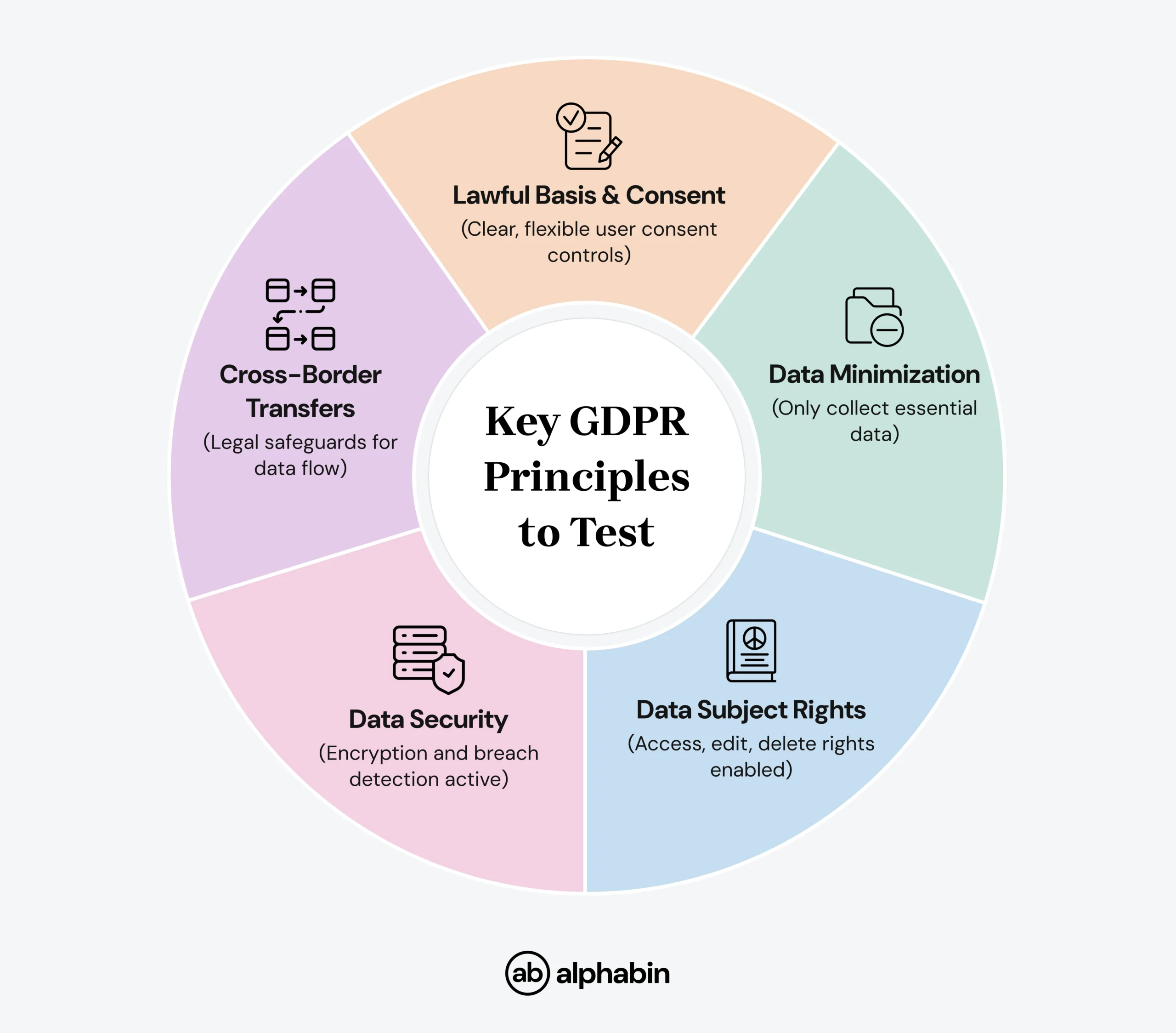
    Key GDPR Principles to Test 

    Key GDPR Principles to Test

    {{blog-cta-1}}

    {{cta-image}}

    Best Practices for GDPR Compliance Testing

    As data privacy becomes increasingly important for organizations, GDPR compliance testing is a requirement for businesses processing personal data. 

    Compliance isn’t just about avoiding penalties; it’s about maintaining user trust, steering away from unnecessary damage, and understanding how data is processed. 

    Here are some best practices for undertaking GDPR compliance testing:

    ‍1. Assessing Consent Management and Lawful Processing

    The GDPR requires an appropriate legal ground to collect and process user data to support services. GDPR relies upon people giving a clear and informed consent, and it must be freely given and able to be withdrawn as easily as given.

    Testing should show that users are given actual control of their choices regarding their data. For the consent process, this must include confirming opt-ins, consent recording, and withdrawal features. 

    Best Practice: Simulate various user journeys to test how consent is captured, stored, and managed. ‍

    2. Check Data Minimization and Purpose Limitation

    Entities should only collect the data that is really needed for services, nothing else. Ensure that each data collected by an organization has a necessary purpose with documented assurance.

    Testing readability because you want to test on eliminating a needless data field, or an excessive amount of data fields, which will help to ensure that the data collected is supporting a legitimate use.

    Best Practice: Map every field you have in your database to a purpose you set, and confirm you need it.‍

    3. Ensure the rights of Data Subjects are implemented

    GDPR grants individuals rights like access, correction, deletion, and data portability. Your landscape must be able to support and respond accordingly to these requests. 

    Testing verifies your processes align with these rights, also it validates that users can easily make requests, check the timing, and processes to respond to those requests that are compliant.

    Best Practice: Perform simulated requests that enable you to validate your full end-to-end processing.‍

    4. Test Data Retention and Deletion Methods

    You are required to retain personal data for as long as it is necessary. When the retention period has expired, personal data must be deleted or anonymized securely.

    Testing should show that personal data is not retained indefinitely, and any automated deletion or anonymisation mechanisms should work.

    Best Practice: Use automated test cases to validate retention periods and scheduled automated data deletion or anonymisation.‍

    5. Undertake Data Protection Impact Assessments (DPIA)

    For any processing activities that pose a high risk, DPIAs are mandatory under GDPR. DPIAs flag potential risks to users’ privacy by assessing potential threats to privacy before deployment.

    Testing should also validate that DPIAs have been done where required and mitigation strategies have been developed and are working as intended.

    Best Practice: Perform DPIA validation as part of your test strategy or sign-off process, especially on new systems.‍

    6. Evaluate third-party and vendor compliance.

    Any third-party vendor that processes data on your behalf must also comply with the GDPR. Their non-compliance could be your liability. 

    Testing should verify vendors have executed data processing agreements and are following GDPR compliance in their data protection and data handling. 

    Best Practice: Conduct audits or require compliance documentation from all third-party vendors.‍

    7. Verify data security measures.

    Data security is a key requirement of GDPR. You must prevent unauthorized access, data breaches, and data loss from data leaks with technical controls.

    Your tests should confirm that the data is encrypted, access controls, secure data transport and monitoring tools are available.

    Best Practice: Penetration testing and vulnerability assessments should be part of the GDPR testing strategy.‍

    8. Maintain Audit trails and documentation. 

    GDPR is about accountability, so you must create and manage documentation on how your data is processed. Documentation is evidence of compliance.

    Audits should verify that records are generated correctly, ensure that they are stored securely, and make them accessible for review (when needed).

    Best Practice: Implement audit cases that verify the retention policy is executed and records/logs are created across systems. ‍

    9. Test Breach Notification Processes

    In the event of a data breach, GDPR requires you to notify the relevant authority within 72 hours. If you don’t act fast enough, you’ll get fined.

    Testing will need to confirm that breach detection, escalation, and reporting processes are defined and working under pressure.

    Best Practice: Conduct mock breaches/drills to test end-to-end notification readiness. 

    Tools for GDPR compliance testing 

    GDPR compliance goes beyond policies. It integrates smart tools and testing processes. DPIAs, compliance checkers, and security scanners are some of the tools that help uncover risks early. 

    These are some tools that assess data flows, spot vulnerabilities, and support technical and organisational safeguards. These tools make GDPR testing faster, more accurate, and easier to manage. 

    Alphabin takes this even further with its AI-assisted platform specifically designed for privacy-enhanced testing. Tools like TestGenX include intelligent automation functionality with built-in GDPR validation, consent workflows, data subject rights, and encryption audits. 

    {{cta-image-second}}

    Common Pitfalls to Avoid

    Common Pitfall Pitfall Solution
    Lack of Awareness and Training Employees unintentionally break GDPR rules due to poor understanding. Provide regular GDPR training for all staff, including contractors and new hires.
    Inadequate Data Security Weak or outdated security can lead to data leaks or breaches. Use encryption, access controls, and conduct regular security audits.
    Failure to Obtain Valid Consent Collecting data without proper consent violates GDPR rules. Ensure consent is clear, specific, optional, and easy to withdraw anytime.
    Outdated or Incomplete ROPA Missing or incorrect processing records may cause compliance issues. Update ROPA regularly to reflect all current data processing activities.
    Inadequate Data Breach Response Plan Delays in breach handling can increase damage and legal penalties. Set up and test a clear breach response plan with defined roles and timelines.
    Overlooking Data Subject Rights Failing to respond to user data requests leads to non-compliance. Create fast, documented processes to handle rights like access or deletion.
    No Regular GDPR Audits Compliance efforts weaken without ongoing checks and updates. Conduct regular audits to find and fix any gaps in GDPR compliance.
    Ignoring Third-Party Risks Non-compliant vendors can put your data and business at risk. Vet all vendors and sign data processing agreements to ensure shared responsibility.

    Conclusion

    GDPR testing is more than just legal protection; it is a promise to your users that their data is secured and respected. To comply, testing must be continuous, strategic, and part of your development cycle.

    Alphabin supports your GDPR testing and QA for the future beyond the light touch. Our compliance-first coding approach integrates compliance from day one and purposefully integrates compliance into your system. 

    To future-proof your data process, partner with Alphabin and educate your users. 

    FAQs

    1. How is GDPR testing different from regular security testing?

    Security testing is about protecting data from threats, and GDPR testing is about legal handling of personal data (consent, retention, user rights).

    2. What if GDPR testing shows gaps?

    Identify and document the issues, assess their risk impact, implement timely fixes, and maintain detailed records to demonstrate accountability.

    ‍3. Who should handle GDPR testing—QA or legal?

    QA should run the tests, and legal should guide on the regulations. It’s best as a joint effort.

    ‍4. How do we measure GDPR compliance?

    To measure GDPR compliance, obtain Privacy audits, consent logs, data mapping, and DSR response times.

  • GDPR Compliance Testing Services: Complete Guide for 2025

    GDPR Compliance Testing Services: Complete Guide for 2025

    In today’s hyper-connected digital economy, personal data isn’t just information; it’s a form of currency, and like any other currency or asset, it must be protected.

    GDPR has proven to be the strongest and most far-reaching data privacy law in the world since 2018.

    Fast forward to 2025, and there is more urgency around GDPR than ever. As the rapid pace of technology morphs and data breaches continue to occur, the demand to take a responsible approach to managing personal data will continue to grow. 

    Therefore, at Alphabin, we believe that to us, GDPR testing is more than compliance; it is business resilience.

    “Data protection is no longer a compliance exercise – it is an integral pillar of customer reliance and global business growth.”

    GDPR compliance is a requirement in 2025, regardless of whether you’re a start-up or a global brand. In this guide, we cover what you should test, how GDPR testing works, the tools used, and why it is essential to choose the right partner.

    What is GDPR, and who does it apply to?

    The General Data Protection Regulation (GDPR) is a groundbreaking data protection law passed by the European Union (EU) in 2018.

    The primary aim of GDPR is to protect a person’s data that constitutes personal data and privacy rights across the EU, and to allow people greater control over their data as it relates to how their data can be collected, used, stored, or shared.

    • The regulations and requirements outlined in GDPR apply to any business or organization that collects, processes, or stores data about an individual in the EU. 
    • These GDPR form the legal framework that organizations must follow to ensure the protection of personal data and compliance with EU law.
    •  Failure to comply can result in GDPR violations, which may lead to significant penalties and reputational damage for organizations.

    {{blog-cta-3}}

    Why use GDPR compliance testing services?

    GDPR compliance testing services provide a structured assessment of your data processing activities that can uncover risks while they are still manageable, rather than waiting for them to become non-compliance issues that can create costs.

    Using GDPR Compliance testing services

    Alphabin uses an automation-first approach and domain knowledge to ensure your GDPR compliance testing is done sooner and faster.

    We help identify unknown risks and validate remediated controls, while keeping your systems audit-ready from the first day of use.

    {{cta-image}}

    Core principles and requirements

    1. Lawfulness, Fairness & Transparency
      • Real-world example: Website asks for an email with a consent checkbox and a visible privacy policy.
      • How Alphabin helps: We simulate user journeys to test consent capture, check policy visibility, and generate compliance reports.
    1. Purpose Limitation
      • Real-world example: E-commerce site only collects data to fulfill orders, not for marketing.
      • How Alphabin helps: Tracks data usage across workflows and tests for unintended data repurposing.
    1. Data Minimization
      • Real-world example: The mobile app only asks for email at login; no extra data is collected.
      • How Alphabin helps: Audits forms and APIs, flags extra fields, and recommends removals in compliance reports.
    1. Accuracy
      • Real-world example: Users can update contact info on the dashboard; the system flags mismatches.
      • How Alphabin helps: Tests correction workflows and end-to-end change propagation to ensure real-time updates and data integrity.
    1. Storage Limitation
      • Real-world example: HR deletes applicant data 6 months after the position closed; logs confirm deletion.
      • How Alphabin helps: Validates retention schedules, verifies deletion/anonymization, and audits logs for regulatory readiness.
    1. Integrity & Confidentiality
      • Real-world example: Data is encrypted at rest and in transit; access is role-based.
      • How Alphabin helps: It tests security, validates access controls, and checks encryption against privacy policy.
    1. Accountability
      • Real-world example: The Company keeps records, risk assessments, and training logs.
      • How Alphabin helps: Reviews compliance documentation, runs automated artifact checks, and alerts on gaps or expirations.

    Importance of GDPR Compliance Testing Services in 2025

    As we move toward 2025, GDPR isn’t simply a regulation: it is a framework for building trust, accountability, and transparency in a data-driven economy. 

    {{blog-cta-1}}

    GDPR works to ensure that the advanced technology of tomorrow can be used in responsible and ethical ways. 

    At Alphabin, we are at the forefront by using AI, as the lead in data testing and automation, to assist organizations with compliance and acting in ways considered responsible in today’s environment. 

    {{cta-image-second}}

    Increased penalties and global impact 

    As of 2025, GDPR enforcement is as high as it has ever been, with regulators more willing than ever to apply maximum penalties. To date, total fines have surpassed €20 million, sending more than a clear message that non-compliance is expensive.

    Availing of GDPR compliance testing services is an important and incremental risk mitigation strategy that allows the company to find and fix known vulnerabilities. 

    {{blog-cta-2}}

    GDPR compliance testing services checklist

    At Alphabin, we have a GDPR testing framework in place to cover all of these key areas, where each aspect is very important, and we use a combination of manual expertise and automated validation to maintain an ongoing level of compliance. 

    Category Requirement
    Scope of Testing Identify all personal data, map data flows, and ensure each use has a valid legal basis.
    Data Subject Rights Allow users to access, edit, delete, transfer data, and object to processing when required.
    Policies & Procedures Keep an updated privacy policy, a breach response plan, and ensure third-party compliance.
    Security Controls Apply encryption, access control, secure storage, and conduct audits and penetration tests.
    Data Protection Impact Assessments (DPIA) Conduct DPIAs for high-risk data processing to mitigate privacy risks early.
    Training & Awareness Train staff on GDPR responsibilities to ensure secure and lawful handling of data.
    Monitoring & Documentation Keep records of processing, DPIAs, and incidents; regularly audit systems and policies.
    Advanced Considerations Validate consent, enforce retention policies, manage international transfers, and appoint a DPO if needed.

    Following this checklist, supported by a skilled team, plays a crucial role in ensuring ongoing compliance with GDPR requirements.

    Compliance Essentials: What Needs to Be Tested?

    What to Test for GDPR Compliance

    Common gaps found during compliance checks

    Gap Area Compliance Checks
    Incomplete Data Mapping Missing data from legacy systems, third-party tools, or shadow IT causes blind spots.
    Unclear Legal Basis Consent methods are outdated, or legal grounds for processing are not well documented.
    Poor Handling of Data Rights Delays or errors in fulfilling access, correction, or deletion requests are common.
    Weak Security Controls Lack of encryption, access controls, or monitoring increases breach risk.
    Improper Data Transfers No safeguards or legal measures for international data transfers.
    Ineffective Breach Response No tested response plan or proper notification and incident tracking process in place.

    Alphabin conducts a structured audit, incorporating continuous test automation to identify blind spots (these all-too-frequent features) that are mitigated before becoming legal or operational risk.

    How do GDPR Compliance Testing Services help Organization?

    • Uncover hidden data risks
    • Increase compliance with GDPR
    • Prevent regulators from fining you
    • Improve data governance

    Alphabin’s automation-first approach enables faster results and completes 80% of your testing requirements in a fraction of the time, meaning earlier time to market and less regulatory risk.

    Integration with security and privacy

    GDPR goes far beyond legal duties; it is essentially a certification that data protection has been engineered into systems and processes from the outset.

    In essence, GDPR guarantees that personal data is protected at all stages of the data lifecycle. 

    GDPR requires security by design. Organizations should:

    • Securely manage personal data throughout its lifecycle
    • Think about security and privacy rules together

    Alphabin connects those strained relationships with precision – combining security testing, automation, and AI-based analysis to provide seamless collaboration and a resilient compliance framework across secret teams.

    The Role of GDPR in Accessing the European Market

    GDPR compliance is not optional for any organization working with EU customer data -it is legally mandatory. 

    GDPR non-compliance can expose your organization to hefty fines, legal risks, and considerable brand damage. 

    More than just a legal box to check, GDPR compliance demonstrates trust by showing customers in Europe that you are responsible and secure with their data.

    Legal access and market expansion

    • GDPR compliance is a serious requirement when wanting to establish yourself in and definitely operate in the European market – without it, companies put themselves at risk for exclusion and legal issues.
    • Formal testing of GDPR compliance allows you to demonstrate you are “GDPR ready,” and to cultivate trust with EU regulators, partners, and customers – helping you close deals faster and return to the market quicker.
    • European buyers can now request third-party evidence to show you operate in alignment with GDPR and have an established third-party verification ongoing – Unique ability to differentiate yourself from competitors that are not aligned with GDPR.
    • Alphabin’s GDPR testing assists you in demonstrating credibility, meeting buyer expectations, and allowing you to ramp new customers across the European Union confidently!

    Ensuring long-term business sustainability

    • Consistent GDPR testing will help eliminate compliance debt and enhance governance. 
    • Constant testing will aid in keeping your systems current with changing regulations and enhance your credibility.

    With Alphabin, you can integrate GDPR readiness into your development life-cycle in a way that protects your corporate reputation and sets the stage for future success in Europe.

    Conclusion 

    GDPR compliance is not optional anymore due to the enhanced expectations of privacy and enforcement activity. It is now a responsibility not just limited to a one-time objective.  Compliance testing supports risk identification processes, strengthening processes, and ongoing trust building. 

    Whether you are pushing into the EU market for the first time or confirming existing business operations, investing in GDPR compliance testing should be a strategic growth and resilience investment for you.

    Alphabin delivers end-to-end GDPR QA testing against your tech stack and business ambitions, giving you the smarter approach to compliance based on your schedule for 2025.

    Are you ready to consider your GDPR obligations for the future? Become a leader of the approach with Alphabin. 

    FAQs

    1. How often should GDPR testing be done?

    Annually, additional testing is conducted depending on the nature of any significant change or additional high-risk data activities.

    2. How is GDPR testing different than a privacy audit?

    GDPR testing is a methodical evaluation of the technical and security measures. Audits look across the wider context of privacy practices and governance.

    3. Can tools be used to replace professional testing services?

    No. Tools help you, but you will need someone to analyse, assess, and provide commentary on the overall compliance experience and obligations of complex regulation.

    4. How much does it cost to be GDPR compliant?

    Costs vary depending on the size and complexities of the company, but investment costs of compliance seriously outweigh the cost of a breach or fine.

  • Why Security Testing Matters for Your Business

    Why Security Testing Matters for Your Business

    Let’s be honest—nobody wants to deal with the fallout of a security breach. Yet, in our connected world, no business is immune. At Alphabin, we’ve seen firsthand how regular security testing can make the difference between a near miss and a full-blown crisis.

    Today’s Cyber Threats

    Every day, cyber attackers improve their tactics. Whether it’s ransomware that locks you out of your data or phishing scams that deceive employees into giving away credentials, the threats are genuine and continually evolving.

    With remote work now commonplace, traditional office perimeters have expanded, leaving more entry points open for attackers. These risks aren’t just abstract; they can severely impact your operations, finances, and reputation.

    {{cta-image}}

    What is Security Testing?

    Regular security testing is about staying one step ahead of cybercriminals. It means routinely checking your systems for vulnerabilities that might have slipped through the cracks. Think of it like a health check-up for your IT infrastructure.

    Types of Security Testing

    Here are the security testing types that include:

    • Vulnerability Assessments: Automated tools scan your systems to spot known issues.
    • Penetration Testing: Skilled security professionals simulate real-world attacks to identify deeper, less obvious weaknesses.
    • Compliance Audits: Regular checks to ensure that your security measures meet regulatory standards and best practices.
    • Dynamic Application Security Testing (DAST): Simulates real-world attacks to identify vulnerabilities in running applications.
    • Static Application Security Testing (SAST): Analyzes source code to identify security vulnerabilities without executing the application.

    Together, these tests provide a comprehensive picture of your organization’s security posture, enabling you to address potential issues before they escalate.

    Why Security Testing is Important for Businesses?

    Security testing is essential for businesses to safeguard their digital assets, maintain customer trust, and comply with industry regulations. Here’s why security testing is crucial:

    Why Security Testing is Important for Businesses?
    1. Protects Sensitive Data: Identify potential vulnerabilities that could lead to data breaches, safeguarding sensitive information such as customer data, financial records, and intellectual property.
    2. Prevents Financial Losses: Regular security testing significantly reduces the risk of financially damaging incidents, such as ransomware attacks, data theft, fraud, or cyber extortion. 
    3. Ensures Regulatory Compliance: Compliance with data protection and cybersecurity laws such as GDPR, HIPAA, PCI-DSS, and other industry-specific regulations is mandatory. Security testing ensures businesses consistently meet these standards by verifying their security measures and identifying compliance gaps.
    4. Improves System Reliability: Security testing contributes directly to the stability and reliability of IT systems by uncovering vulnerabilities that may cause downtime or operational disruptions. Addressing these vulnerabilities ensures the continuous availability of critical services and applications.
    5. Rescues Risk of Cyberattack: Through proactive detection and remediation of vulnerabilities, security testing helps fortify a company’s defenses against various cyber threats such as malware infections, phishing attempts, Distributed Denial of Service (DDoS) attacks, and targeted hacking incidents.
    6. Maintains Customer Trust: Protecting customer data is central to preserving trust and loyalty. Security testing demonstrates a company’s commitment to safeguarding customer information, providing confidence to customers that their privacy is respected and protected.

    What Are the 6 Key Principles of Security Testing?

    Before diving into the key principles, it’s essential to conduct a thorough risk assessment to identify potential threats and vulnerabilities.

    What Are the 6 Key Principles of Security Testing?

    Confidentiality

    It helps to guarantee that only authorized individuals have access to it, and it is safe from exposure to unauthorized parties or individuals.

    Integrity

    It ensures that data stays accurate, altered, and reliable in storage or transmission. It prevents tampering unauthorized changes or corruption.

    Availability

    Allows for cyber threats and failures to not cause downtime in systems, applications, and data.

    Authentication

    Checks the validity of data to ensure that the user or a system or application is what it claims in order to gain access.

    Authorization

    Determines the specific operations that can be carried out by the users after they go through the authentication process to prevent them from accessing highly secure systems and information.

    Non-Repudiation

    They make sure that no actions and transactions that are performed could be ‘undone’ by the parties involved, as this will lead to accountability.

    How to Perform Security Testing?

    There is no need to spend hours determining the best way to implement a security testing strategy. Actually, it’s to create a continuous and structured process for your business requirements. Here is a deep dive into how you can get started:

    How to Perform Security Testing?

    1. Establish a Baseline

    Start by figuring out what digital assets you have, ranging from servers and endpoints to cloud applications. Document the existing security schemes and analyze which assets are crucial. So that you can see what your baseline is and what testing efforts you need to devote your time and effort to.

    2. Define a Testing Schedule and Scope

    The audit is not looking for every part of your network. Every test should have clear objectives.

    • Frequency: Determine how often you need quarterly, bi-annual or annual assessments based on the industry that you belong to, and the level of risk that is associated with your operations.
    • Scope: Identify which systems, applications, or data repositories are most important. Opt for places where critical data or core business functions are processed.

    3. Hybrid Test Strategy

    While it is possible to go for generic vulnerability scans in an automated manner, they have their inadequacies. Here is the level to put the balance:

    • Automated Vulnerability Scanners: It is quick to find known security and configuration issues with automated vulnerability scanning tools such as Nessus or OpenVAS. These are good to use for regular checks in order to make sure that vulnerabilities are handled immediately.
    • Manual Penetration Testing: Get experienced security professionals to simulate the real-world attacks. Their experience enables them to identify logic holes, chained exploits or other small problems bypassed by automated systems.
    • Red Team Exercises: Periodically, consideration should be given to incorporating red team exercises that simulate sophisticated attacks. In addition to testing your technology, these tests also put pressure on your team to detect and react to intrusions.
    • Social Engineering Tests: Being that so many breaches originate from an employee lapse, performing phishing and other social engineering tests will reveal that employees remain a weak link.

    4. Evaluate, Remediate, and Retest

    Identifying vulnerabilities is only half the battle. Once issues are found:

    • Prioritize Remediation: Focus on security flaws that pose the highest risk. Not every issue requires immediate action—assess the potential impact.
    • Develop a Remediation Plan: Assign clear responsibilities and realistic timelines to fix each vulnerability.
    • Retest: After remediation, retest the systems to confirm that vulnerabilities have been successfully addressed and that no new issues have emerged.

    5. Document and Improve

    Good security testing is an ongoing process:

    • Keep Detailed Records: Document every test, including methodologies, findings, and remediation efforts. This record not only helps with internal audits but is also valuable during compliance reviews.
    • Adjust Your Strategy: Cyber threats evolve constantly. Use insights from past tests to refine your testing strategy and adjust your defenses accordingly.

    Partner with Experts

    Even with the best tools in place, a fresh pair of eyes can make all the difference. Working with a trusted security partner ensures that you:

    • Benefit from Expert Knowledge: Experienced professionals can uncover vulnerabilities that might be overlooked internally.
    • Get Tailored Recommendations: A good partner will align testing methodologies with your unique business needs and risk profile.
    • Stay Ahead of Emerging Threats: Continuous collaboration means you’re always up-to-date with the latest security trends and tactics.

    When it comes to security evaluation, our approach is to use both professional equipment and experience at Alphabin. Hence, our approach makes it possible for your company to be ready for other threats that might come in the future.

    {{cta-image-second}}

    Conclusion

    Regular security testing isn’t just another IT expense—it’s a critical investment in your business’s future. By identifying and addressing vulnerabilities early, you not only protect your operations but also build lasting trust with your customers and partners. By integrating security testing early in the software development lifecycle, you can identify and address vulnerabilities before they become critical issues. Proactive security testing is the cornerstone of a resilient organization.

    Ready to bolster your defenses and stay ahead of cyber threats? Let’s talk. At Alphabin, our team is here to guide you through every step of your security journey. Visit the best software testing company to learn more and get started on a comprehensive security testing strategy today.

  • API Security Testing: Best Practices & Step-by-Step Guide

    API Security Testing: Best Practices & Step-by-Step Guide

    Imagine you’ve built an advanced app, your users love it, and your business is thriving. But one day, you wake up to the news of a data breach—your API was hacked, and sensitive user data is now roaming the dark web. Sounds like a nightmare, right? Unfortunately, this scenario is all too real.

    According to a report by Salt Security, 94% of organizations experienced security issues in their production APIs, with 17% suffering a breach due to API vulnerabilities. Even tech giants like Facebook and Twitter haven’t been immune—Facebook’s 2021 API breach exposed the personal data of 533 million users.

    Many API security tests create a false sense of safety by focusing on known vulnerabilities and static checks, missing how attackers exploit logic flaws, privilege escalations, and business logic abuse. Clean reports often hide real risks.

    The real challenge? Test the API the way an attacker would—turning low-risk behaviors into high-impact exploits, exposing hidden flaws, and abusing functionalities in unexpected ways. Only then will you find what traditional methods miss.

    {{cta-image}}

    What is API Security Testing?

    API security testing involves a comprehensive assessment of API endpoints to identify and remediate vulnerabilities such as improper input handling, parameter manipulation, and injection-based threats. By rigorously testing these endpoints, it helps prevent exploitation by malicious actors, acting as a crucial layer of defense.

    Strong API security relies on three core principles: continuous testing, protection against API threats, and control over API access. Each principle focuses on different aspects of security, and employing specialized testing techniques for each ensures overall security across the API ecosystem.

    Types of API Security Testing

    API security testing involves various methodologies to identify and mitigate vulnerabilities:

    1. DAST (Dynamic Application Security Testing): Tests the API in its running state to identify real-world vulnerabilities.
    2. SAST (Static Application Security Testing): Analyzes source code to catch vulnerabilities early in the development process.
    3. SCA (Software Composition Analysis): Ensures third-party components don’t introduce security risks.
    4. Vulnerability Scanning: Identifies known vulnerabilities in the API.
    5. Penetration Testing: Simulates attacks to uncover security weaknesses.
    6. Fuzz Testing: Tests the API with random inputs to identify edge cases.
    7. Functional Security Testing: Ensures the API behaves securely under various conditions.
    8. Load Testing: Checks how the API performs under heavy traffic.
    9. Configuration Testing: Verifies that security settings are properly configured.

    Common Types of APIs

    Here we have some common types of APIs.

    Common types of APIs

    REST APIs

    REST (Representational State Transfer) APIs are lightweight, simple, and widely used for web services. They rely on standard HTTP methods like GET, POST, PUT, and DELETE, making them easy to implement and integrate. 

    REST APIs are stateless, meaning each request is independent, and they typically return data in formats like JSON or XML. Their simplicity and scalability make them a popular choice for modern web and mobile applications.

    SOAP APIs

    SOAP (Simple Object Access Protocol) APIs are known for their strict standards and robust security features. They use XML for message formatting and rely on protocols like HTTP, SMTP, and more. 

    SOAP APIs are highly structured, with built-in error handling and compliance with WS-* standards, making them ideal for enterprise-level applications where security and reliability are critical, such as in banking or healthcare.

    GraphQL APIs

    GraphQL APIs offer flexibility and efficiency, allowing clients to request exactly the data they need in a single query. Unlike REST, which returns fixed data structures, GraphQL enables developers to define the shape and depth of the response, reducing over-fetching or under-fetching of data. 

    This makes it a powerful choice for complex systems, microservices, and applications where performance and precise data retrieval are priorities.

    Common API Security Threats You Can’t Ignore

    APIs face numerous threats, and the OWASP API Security Top 10 is an excellent resource for understanding them. Here are some of the most critical risks: 

    1. Broken Object Level Authorization: Hackers can manipulate object IDs to access data.
    2. Injection Attacks: Malicious inputs (like SQL or XSS) exploit vulnerabilities in your API.
    3. Excessive Data Exposure: Your API spills the beans, returning more data than it should.
    4. Security Misconfigurations: Default settings or missing security headers leave your API wide open.
    5. Broken Authentication: Weak passwords or flawed authentication mechanisms let attackers in.

    The consequences? Think of data breaches, financial losses, and reputational damage. For example, in 2021, a major social media platform suffered a breach due to an API vulnerability, exposing 533 million users’ data.

    What are the Benefits of API Security Testing?

    API security testing isn’t just about fixing bugs—it’s about protecting your business. Here’s why it’s a must:

    • Protects Sensitive Data: Keeps personal, financial, and proprietary info safe.
    • Ensures Compliance: Helps you meet regulations like GDPR, HIPAA, and PCI-DSS.
    • Builds Trust: Shows your users and stakeholders that you take security seriously.
    • Saves Money: Prevents costly breaches, fines, and legal headaches.

    In short, API security testing is your best defense against cyber threats.

    How to Perform API Security Testing?

    API security testing isn’t just about running a few scans—it’s a systematic process that requires attention to detail. Here’s a comprehensive step-by-step guide to help you secure your APIs effectively:

    How to perform API security testing?

    1. API Discovery & Information Gathering

    Before you can secure your API, you need to understand it inside and out.

    • What to Do:
      • Review the API documentation to identify all endpoints, parameters, and data flows.
      • Use tools like Postman or Swagger to explore the API’s structure.
      • Map out how data moves between systems and identify potential attack surfaces.
    • Why It Matters:
      • You can’t protect what you don’t know. Understanding your API’s architecture is the first step to securing it.

    2. Authentication Testing

    Authentication is the gatekeeper of your API. If it’s weak, attackers can easily break in.

    • What to Do:
      • Test for weak authentication mechanisms, such as easily guessable API keys or poorly implemented OAuth.
      • Verify that multi-factor authentication (MFA) is in place for sensitive endpoints.
      • Use tools like Burp Suite or OWASP ZAP to simulate authentication attacks.
    • Why It Matters:
      • Strong authentication ensures that only authorized users can access your API.

    3. Authorization Testing

    Even if users are authenticated, they shouldn’t have access to everything.

    • What to Do:
      • Test for privilege escalation by trying to access resources beyond the user’s permission level.
      • Verify that role-based access control (RBAC) is properly implemented.
      • Check for vulnerabilities like IDOR (Insecure Direct Object References).
    • Why It Matters:
      • Proper authorization ensures users can only access what they’re supposed to.

    4. Input Validation & Injection Testing

    APIs often process user inputs, making them vulnerable to injection attacks.

    • What to Do:
      • Test for common injection vulnerabilities like SQL injection, XSS (Cross-Site Scripting), and command injection.
      • Use tools like SQLmap to automate injection testing.
      • Ensure the API validates and sanitizes all inputs before processing them.
    • Why It Matters:
      • Input validation prevents attackers from exploiting your API to execute malicious code.

    5. Sensitive Data Exposure Testing

    APIs often return more data than necessary, exposing sensitive information.

    • What to Do:
      • API Testing responses to ensure they don’t include unnecessary sensitive data (e.g., PII, financial info).
      • Identify and mitigate security vulnerabilities in API endpoints to protect valuable data.
      • Verify that sensitive data is encrypted in transit (using HTTPS/TLS) and at rest.
      • Use tools like OWASP ZAP to scan for data exposure vulnerabilities.
    • Why It Matters:
      • Limiting data exposure reduces the risk of breaches and ensures compliance with regulations like GDPR.

    6. Error Handling & Exception Management

    Error messages can reveal sensitive information if not handled properly.

    • What to Do:
      • Test how the API handles errors—ensure it doesn’t reveal internal details like stack traces or database schemas.
      • Verify that error messages are generic and don’t expose sensitive information.
      • Use tools like Postman to simulate error conditions and analyze responses.
    • Why It Matters:
      • Proper error handling prevents attackers from gaining insights into your API’s internal workings.

    7. Security Misconfiguration Testing

    Misconfigurations are one of the most common API vulnerabilities.

    • What to Do:
      • Check for default settings, unnecessary features, and misconfigured security headers.
      • Verify that the API follows secure configuration guidelines (e.g., disabling unused HTTP methods).
      • Use tools like Nmap or Nikto to scan for misconfigurations.
    • Why It Matters:
      • Secure configurations reduce the attack surface and prevent common exploits.

    8. Rate Limiting & DDoS Protection

    APIs are often targeted by brute force and DDoS attacks.

    • What to Do:
      • Test if the API can handle excessive requests and prevent brute-force attacks.
      • Implement rate limiting and throttling to restrict the number of requests per user.
    • Why It Matters:
      • Rate limiting and DDoS protection ensure your API remains available and secure under attack.

    9. Logging, Monitoring & Alerting

    Even the most secure APIs need monitoring to detect and respond to threats.

    • What to Do:
      • Ensure logs are maintained for all API activity, including access attempts and errors.
      • Set up monitoring tools like ELK Stack to analyze logs in real time.
      • Configure alerts for suspicious activity, such as multiple failed login attempts.
    • Why It Matters:
      • Logging and monitoring help you detect and respond to threats before they escalate.

    Best Practices for API Security Testing

    To ensure your API security testing is effective, follow these best practices:

    Best practices for API security testing
    1. Regularly Update & Patch APIs: Keep your APIs up-to-date with the latest security patches.
    2. Use Encryption: Encrypt data in transit (HTTPS/TLS) and at rest to protect sensitive information.
    3. Implement Strong Authentication: Use OAuth 2.0, API keys, or multi-factor authentication (MFA).
    4. Validate and Sanitize Inputs: Prevent injection attacks by validating and sanitizing all inputs.
    5. Conduct Regular Security Audits: Perform periodic security assessments and penetration testing.
    6. Follow the Principle of Least Privilege: Restrict access to only what’s necessary for each user.
    7. Use API Security Tools: Leverage tools like OWASP ZAP, Burp Suite, Postman and Tigergate API Security to automate testing.
    8. Test API Security: Integrate security assessments into the development lifecycle, especially in dynamic environments like DevOps.

    {{cta-image-second}}

    Final Thought

    APIs are critical for modern applications, but they are also a prime target for cyberattacks. The consequences of poor API security—data breaches, financial losses, and reputational damage—can be dangerous.

    By following these steps and implementing best practices, you can protect your APIs from evolving threats and ensure the security of your systems. Remember, API security isn’t a one-time task—it’s an ongoing process that requires vigilance and proactive measures.

    Don’t wait for a breach to happen. Start securing your APIs today!

  • How Often Should Your Business Conduct Penetration Tests?

    How Often Should Your Business Conduct Penetration Tests?

    Company systems need regular testing because cyber threats are developing continuously. Vulnerability seekers find company security weaknesses while businesses are still unaware of their existence. Active security measures must be implemented to prevent your business from becoming a new target.

    Pen tests are a crucial self-defense method that detects system vulnerabilities before cyber attackers can exploit them. Organizations face the fundamental question of the appropriate frequency of performing penetration tests. Testing frequency depends on several factors, including required rules and regulations and your digital data security standards.

    The following blog examines the critical importance of penetration testing as well as the determinants of its frequency and provides guidelines for identifying appropriate testing intervals to maintain cybersecurity leadership. Let’s dive in.

    {{cta-image}}

    Understanding Penetration Testing

    Ethical hackers use penetration testing to simulate cyber attacks on PC systems, networks, and web applications. The goal is to identify security weaknesses in digital resources and uncover all potential threats that hackers might exploit to breach a system. 

    To locate entry points, an ethical hacker assesses how attackers could compromise the system to access sensitive information or disrupt its operation functions.

    Importance of Penetration Testing in Cybersecurity

    Penetration testing is a crucial component of a comprehensive cybersecurity strategy.

    • It finds weaknesses in systems, networks, and applications before hackers take advantage of them.
    • Facilitates proactive remediation of detected security vulnerabilities.
    • Avoids the risk of data breaches and other security incidents.
    • Enforces enhanced incident response plans through the creation of potential attack vectors.
    • Guarantees regulatory and security compliance.
    • Enhances overall cybersecurity posture by constantly enhancing defenses.

    Why Regular Penetration Testing Is Essential

    Security experts perform routine testing to show companies their system weaknesses. Penetration testing is not a one-time activity; it’s a continuous process to ensure your systems remain secure. Here’s why regular pen testing is essential:

    1. Identifying Security Vulnerabilities Before Attackers Do

    Hackers are constantly in search of fresh targets to attack. Pentests help businesses check for the strengths and weaknesses of their organization’s security and fix them before criminals exploit them.

    2. Ensuring Compliance With Industry Standards

    Various industrial rules enforce mandatory security testing regularly. For example:

    • The information security management system of organizations requires periodic pen-testing according to ISO 27001 security standards.
    • The requirements of SOC 2 force organizations to identify risks and take proper measures to stay compliant.
    • Security evaluation needs occur frequently based on requirements under GDPR, HIPAA, PCI-DSS, and other regulatory frameworks.

    3. Reducing Financial & Reputational Risks

    A data breach leads to massive destructive impacts that leave permanent damage to the company’s reputation. Available data shows that recurring penetration tests allow the identification of hacking vulnerabilities along with needed steps to reduce financial consequences from data breaches and cyberattacks.

    4. Strengthening Your Cybersecurity Posture

    Pentesting functions as a protective procedure that helps guard you against newly detected security threats. Regular testing represents the sole method that enables you to maintain your security position. 

    A penetration tester is a critical security element that executes virtual attacks to locate and resolve system issues.

    Factors That Determine How Often You Should Conduct a Penetration Test

    The frequency at which penetration testing should be conducted depends on a great many externalities. On account of these tests, reveal security holes that unauthorized parties can attempt to use to gain access to the network systems.

    1. Industry-Specific Compliance Requirements

    The finance industry, along with healthcare and SaaS organizations, must regularly perform penetration testing because of their strict data protection requirements. To safeguard highly sensitive company information, businesses within restricted sectors need to test systems at a minimum twice annually.

    2. Company Size & Infrastructure Complexity

    Larger organizations that maintain complex infrastructure along with numerous applications and large cloud environments need to perform testing quarterly or continuously. Businesses with basic infrastructure prefer conducting annual penetration tests instead of more frequent assessments.

    3. Risk Level & Data Sensitivity

    High-risk industries, which include financial institutions, e-commerce platforms, and government agencies require quarterly execution of pentest activities. Organizations that work with customer PII (Personally Identifiable Information) must perform testing two times annually.

    4. System Updates & Infrastructure Changes

    Your business creates potential security gaps when it performs new feature deployments and system updates and moves to different environments. System updates and significant system modifications require respective pen tests for security assessment.

    5. Emerging Threats & Attack Trends

    Regular test executions have become essential because hackers exploit modern advancements in attack forms including ransomware, zero-day vulnerabilities, and phishing scams. Security assessments are carried out swiftly by using threat intelligence as a guiding principle.

    Recommended Pentesting Frequency for Different Business Types

    Security professionals take charge of assessing the proper testing frequency for different business types to ensure rapid identification and resolution of security weaknesses.

    Additional Testing Scenarios

    Apart from scheduled tests, penetration testing should also be conducted when:

    • The company initiates new systems or application releases.
    • Relevant changes occur in both infrastructure elements and software.
    • Compliance audits are due
    • Major cybersecurity incidents occur

    How to Develop a Penetration Testing Schedule

    Having business-specific penetration testing schedules forms a critical component for sustaining effective security measures. Follow these steps:

    1. Assess Business Needs & Risk Profile

    Perform a risk evaluation on your company’s security from both an industry standards perspective and regulatory mandates alongside retention data classification. Checking your security features for the risk profile serves as a critical step for total protection assessment.

    2. Align With Compliance Requirements

    The Pentesting schedule needs to fulfill the requirements specified by ISO 27001 and SOC 2, PCI DSS, GDPR, and additional relevant security frameworks. Critical positions are taken by security researchers in compliance as they locate vulnerabilities to make organizations comply with their standards.

    3. Balance Cost & Security Priorities

    The high costs of penetration testing should not lead organizations to compromise their security. A combination of automatic vulnerability scanning can be used to bridge manual penetration tests. 

    Organizations need to conduct social engineering tests to evaluate human exploitation techniques because these assessments help build staff awareness and protective measures.

    4. Automate the Process of Testing Between the Pentests

    Continuous security testing tools that detect vulnerabilities do real-time security monitoring between the scheduled penetration tests.

    Web applications are still being tested to expose security holes and protect the application from exploitation attempts.

    {{cta-image-second}}

    Conclusion

    A penetration test belongs to every strong cybersecurity infrastructure blueprint. The frequency of penetration tests depends on regulatory requirements alongside industry risks as well as company size and system complexity. At least once a year but high-risk industries quarterly or continuously

    Active testing provides the safest approach for your security. Testing must be performed ahead of application rollouts during system update periods as well as when facing new security risks

    We assist organizations with the scheduling of penetration tests. As a software testing company, Alphabin provides penetration testing services tailored to specific industries. Get in touch today 🚀