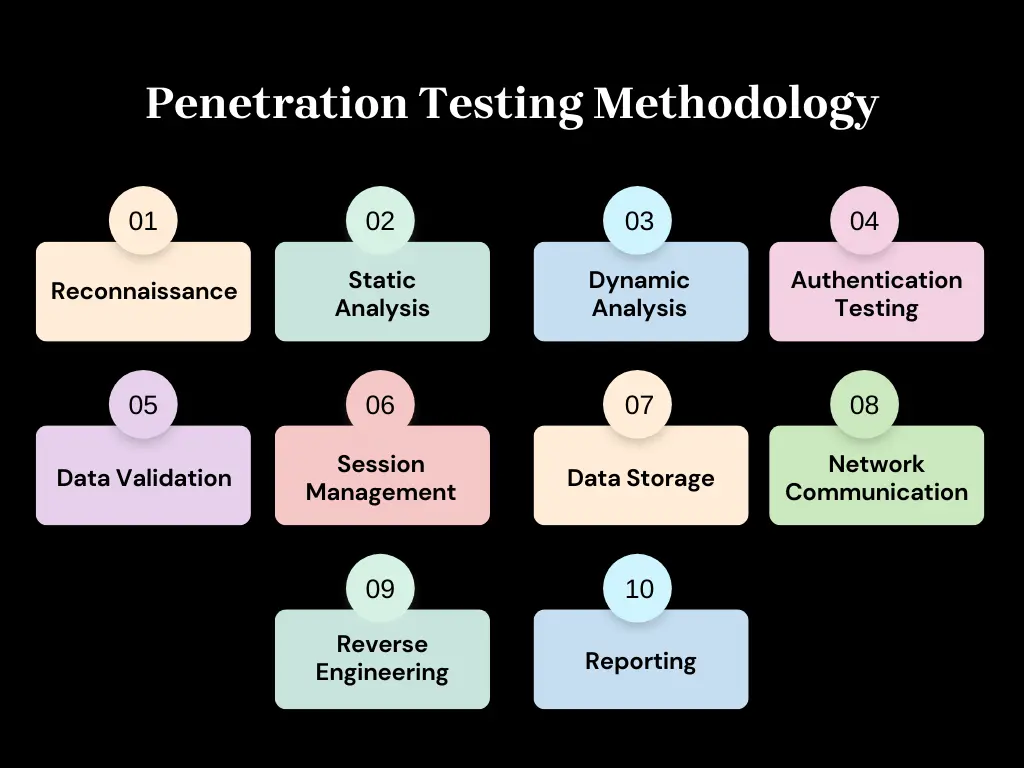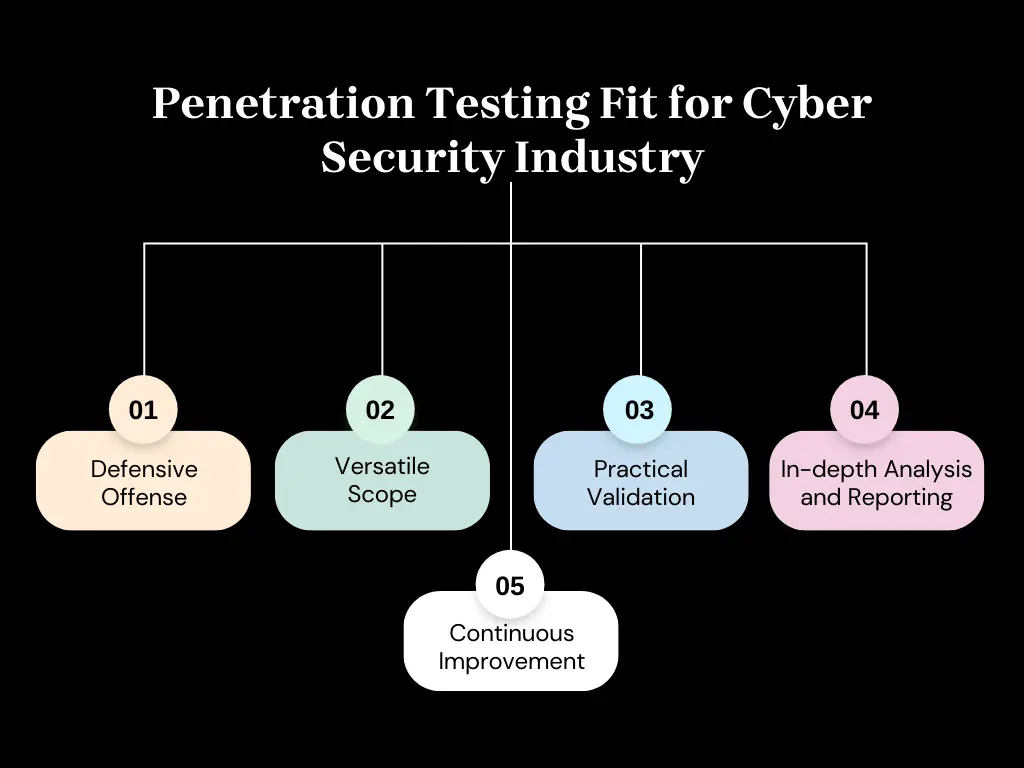
The reconnaissance phase of penetration testing is the cornerstone of any successful penetration testing process. This crucial phase involves gathering information about the target environment, enabling penetration testers to identify vulnerabilities and potential entry points. In this comprehensive guide, we will walk through various reconnaissance techniques and tools, providing a step-by-step approach for both beginners and intermediate pen testers.
Google Dorking

Google Dorking refers to the practice of using advanced search operators in Google’s search engine to discover specific information that is not easily accessible through conventional searches. This technique is often employed by network security professionals, researchers, and hackers to find vulnerabilities, exposed sensitive information, or other details that may be hidden from regular search queries. Here’s the table for detailed Google Dorking operators and their examples.
| Operator | Working |
|---|---|
| site | Restrict the search to the specified website
site: http://www.demo.com → This will show pages that are on www.demo.com only. |
| intitle | Search for the pages containing the given term in the titles of the web pages
intitle: testing site: http://www.demo.com → This will show pages that contain “testing” in the page title on http://demo.com website only. |
| allintitle | Shows results of pages containing all the query terms specified in the title only
allintitle: BMW sports → Returns only pages containing words “BMW” and “sports” |
| inurl | Restricts the results to pages containing the word specified in the URL
inurl: copy site: http://www.demo.com → Returns pages in http://demo.com site in which the URL has the word “copy” |
| allinurl | Restricts the results to pages containing all the query terms specified in the URL
allinurl: penetration test → Returns only pages containing the words “pen” and “test” in the URL |
| inanchor | Shows pages containing the query terms specified in the anchor text on links to the page only
security inanchor: alphabin → Returns pages with anchor text on links containing “alphabin” and the page containing “security” |
| allinanchor | Search for the pages only containing all query terms specified in the anchor text on links to the page
allinanchor: best offensive security provider → Gives pages in which the anchor text on links to the pages contain the words “best”, “offensive”, “security”, and “provider” |
| cache | Allows to view the cached version of the web page
cache: http://demo.com → Gives cached version of http://demo.com |
| filetype | Search for specified filetypes only
Alphabin filetype: pdf → Returns PDF files on target Alphabin |
| link | Search for the pages that contain links to the specified website or page
link: http://alphabinservices.com → Find pages that point to Alphabin Services’s home page |
| related | Displays websites that are similar or related to the URL specified
related: http://www.demo.com → Provides the Google search engine page with websites similar to www.demo.com |
| info | Finds information for the specified web page
info: http://gothotel.com → Gives information about the national hotel directory http://GotHotel.com home page |
| location | Finds information for specified location
location: Buddha’s hut → Gives the results based around the term Buddha’s hut |
The Harvester

The Harvester is a versatile tool designed for harvesting information from various sources. It is developed by the Christian Martorella at Edge Security. Let’s learn how to use it effectively to collect emails, subdomains, and other valuable data.
The Harvester is a Python script, so ensure you have Python installed and the pip package manager. Then, install The Harvester using,
pip install theharvester
The basic command structure is,
theharvester -d domain -b source
where domain is your target and source is the data source (e.g., Google, Bing, PGP).
Understand it better with an example, To collect emails and subdomains from “example.com” using Google and Bing, run,
theharvester -d example.com -b google bing
The Harvester supports various sources like search engines, social media, PGP servers, and more. There is much more to the harvester to explore. You can find much more interesting functionalities of theHarvester.
Whois
Whois lookup provides details about domain registration, including contact information. Tools like Whois databases and online services such as Whois Lookup can help gather information about the target domain. It can be done using online web applications like Whois Domain Tools, or it can be done using the command line on your machine. Here’s the example of whois record of itsecgames.com using Whois Domain Tools:
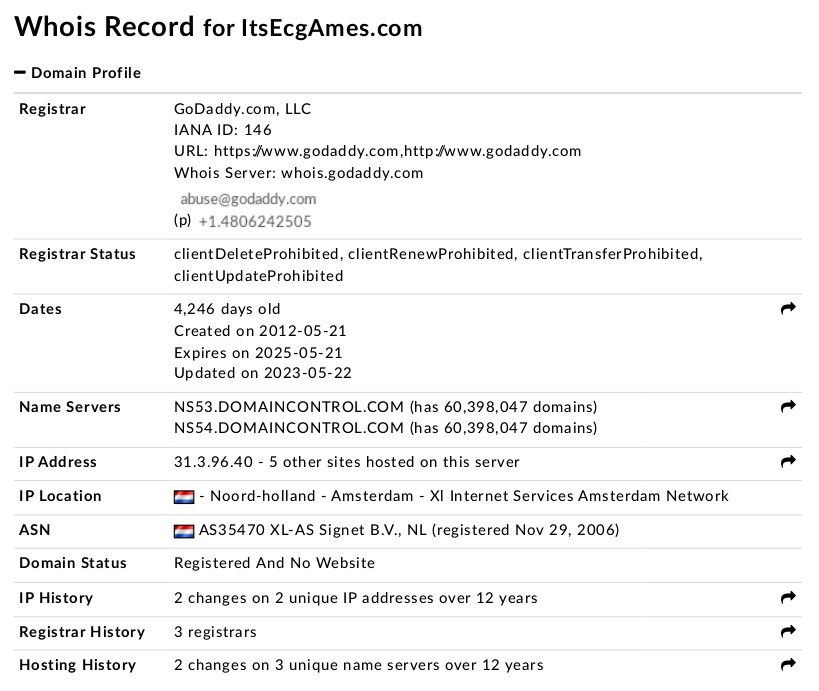
These same records can be fetched using the command line utility as well, you just have to use the whois command following with domain name. For example, issuing whois itsecgames.com will return the results shown in the picture below.
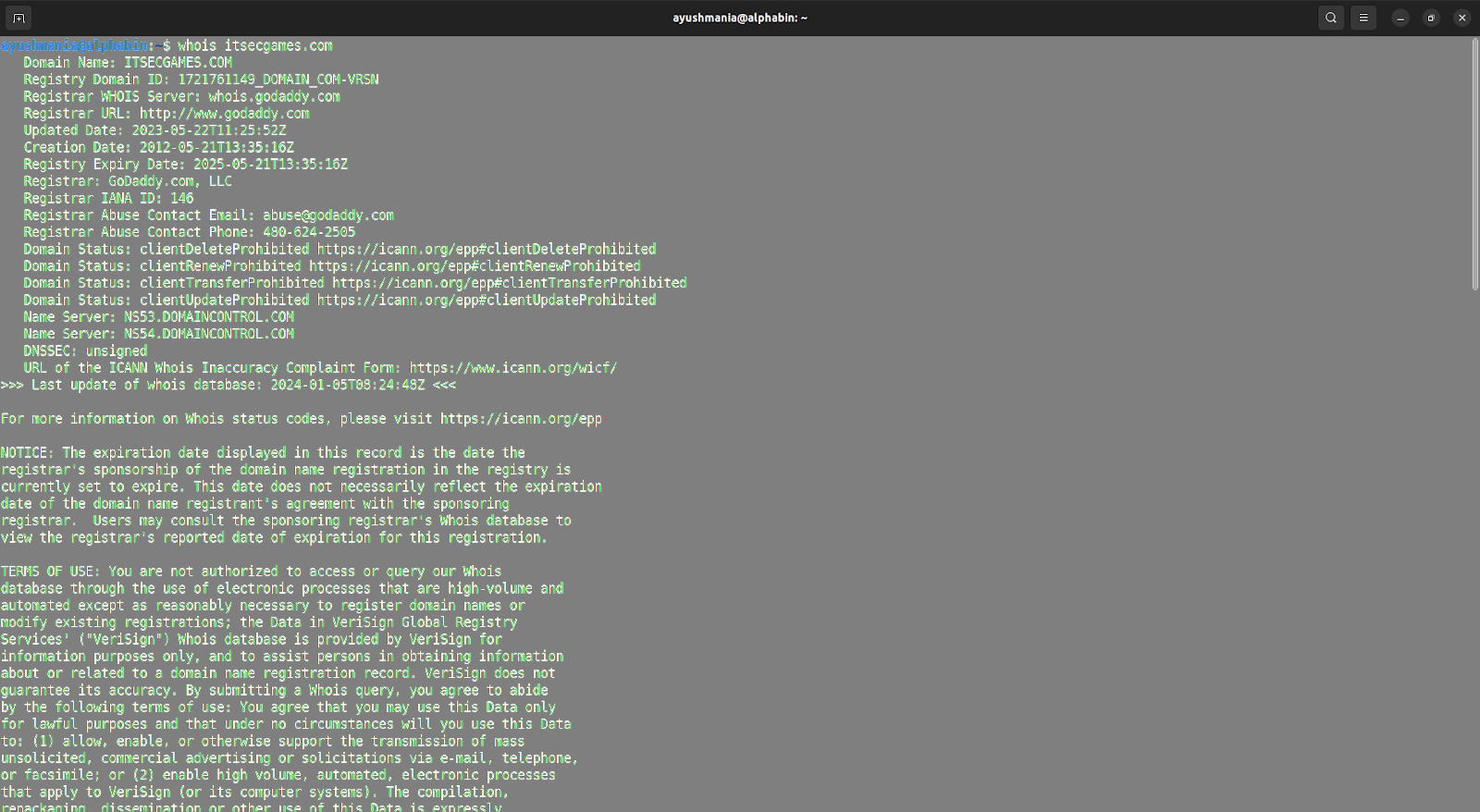
Before moving further, the same information can also be extracted using Netcraft as well. Actually, Netcraft provides more than just domain information; it searches the whole web to find any related information to a given domain name, including Site Background, Host History, Sender Policy Framework and much more. Let’s see how we can get this information easily using Netcraft.
Enter the target’s domain address and start the search. It will show you the domains related to the keywords you provided. Here its showing me two web addresses for the itsecgames.com,
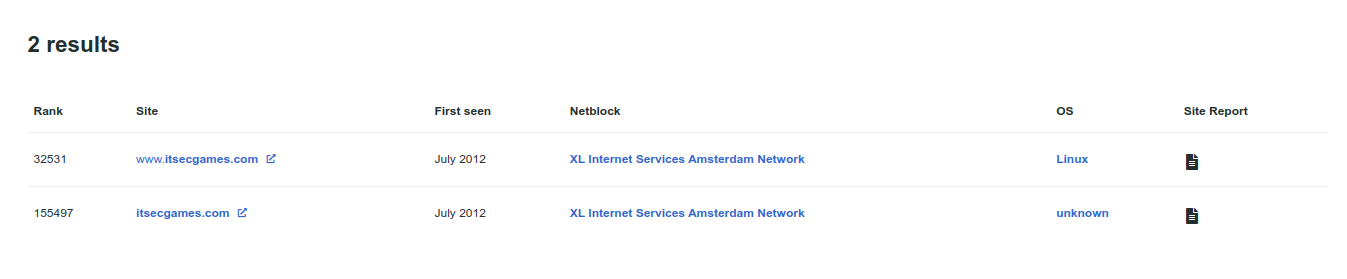
You may get different results based on your searching keywords. One thing to notice here is, Netcraft has provided us with the OS of the server on which the website is hosted. This is very important information to do penetration testing, because if the OS is Linux and you are exploiting it with Windows exploits; you will never get any desirable result. Now, let’s go further and look into the details of “www.itsecgames.com”. You can see it from the site report.
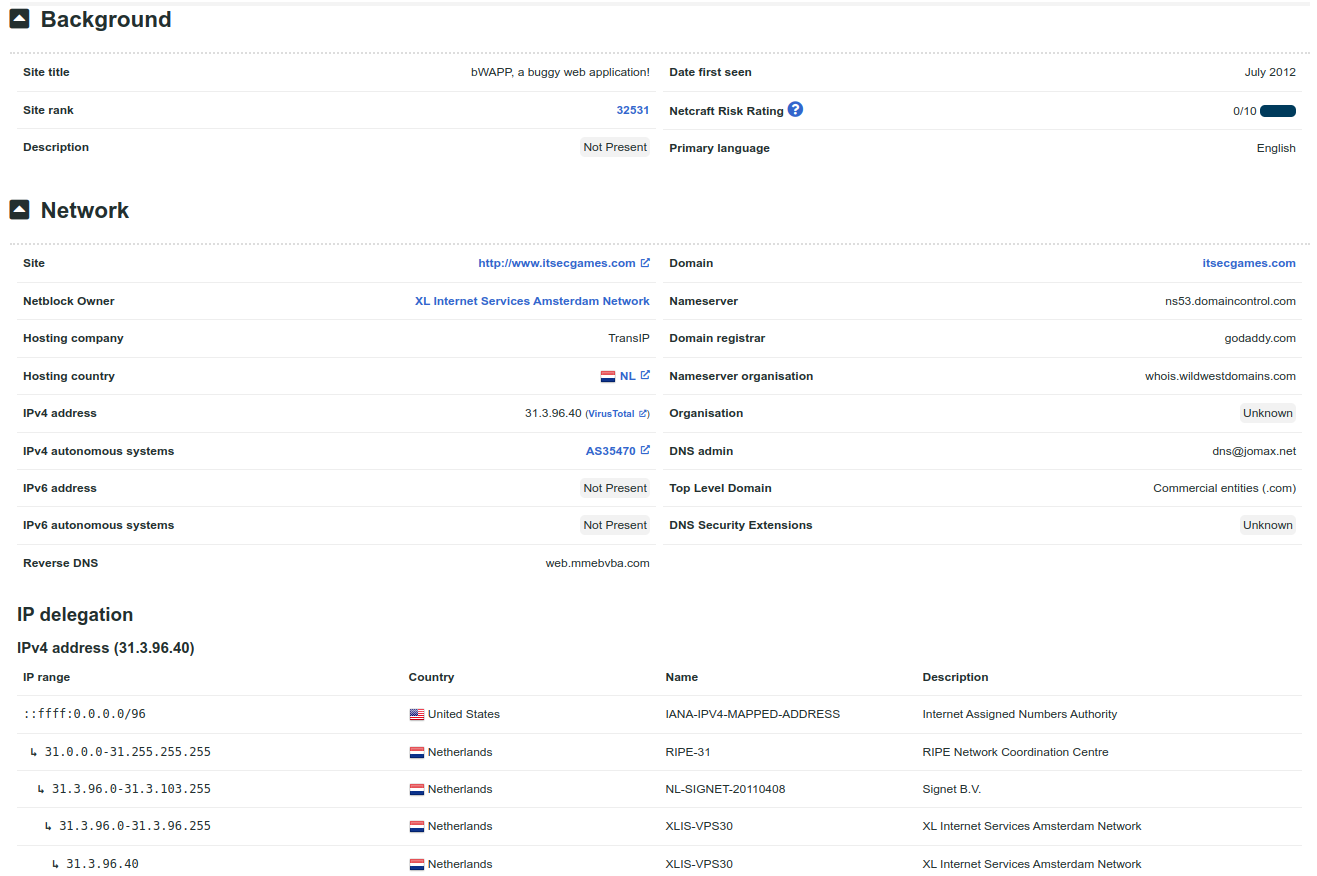
You are provided with site background, which gives information like site rank when it was first seen on the internet, the language of the website, and etc. The network section gives us domain details related to the domain. On scrolling down you will see hosting history, SSL/TLS information, web trackers, and even site technologies used.
Up to this point, we may have DNS server IPs, Name Servers, or both. But what if we do not have the IP of a given domain or web server? No worries, there is a solution for it too. Let’s take a look at the solution, Host.
Host
The ‘host‘ command in Linux is a powerful tool for DNS reconnaissance, often used in network penetration testing. Learn how to use it to obtain information about a target’s DNS records and IP addresses. It is a versatile command-line utility that provides various DNS-related information. It can map domain names into IP addresses and vice-versa using DNS caches and tables. Here are some common uses of the ‘host’ command,
| Function | Command | Description |
|---|---|---|
| Basic DNS Lookup | host example.com | This command retrieves the IP address associated with the domain name “example.com”. |
| Reverse DNS Lookup | host 192.168.1.1 | This command performs a reverse DNS lookup to find the domain name associated with the given IP address. |
| Querying a Specific DNS Record Type | host -t mx example.com | This command retrieves the Mail Exchange (MX) records for the specified domain. |
| Name Server Lookup | host -t ns example.com | This command fetches the name servers responsible for the specified domain. |
| Verbose Output | host -v example.com | This command provides more detailed information, including the query process and additional DNS record types. |
| Querying a Specific DNS Server | host example.com ns1.example-dns-server.com | This command directs the query to a specific DNS server (in this case, ns1.example-dns-server.com). |
| Checking Mail Exchange (MX) Records | host -t mx example.com | This command fetches the Mail Exchange (MX) records for the specified domain, which are used for email routing. |
| Displaying All DNS Record Types | host -a example.com | This command retrieves all available DNS records for the specified domain. |
Other ways you can gather information is using Open Source Intelligence (OSINT) framework and Social Engineering. You can get details on OSINT and Social Engineering from here.
Conclusion
Effective reconnaissance involves sifting through vast amounts of information to identify potential attack vectors. For effective penetration testing, learn how to prioritize and filter intelligence for actionable insights. Practical hands-on experience is crucial for mastering reconnaissance. Discover realistic scenarios, labs, and platforms for honing your pen tester skills. Some of the very good online platforms to learn about Ethical Hacking and Penetration Testing are HackTheBox and TryHackMe.
Reconnaissance is just the beginning. The further journey of penetration testing is much more interesting than that of reconnaissance. As a beginner, it’s good practice to keep Recon and vulnerability Scanning different, but as you gain more knowledge and experience, you may treat both of them together.
Alphabin also provides complete penetration testing including a dedicated QA experts phase and engineer for reconnaissance during penetration testing to ensure the security of your information and the integrity of your business.