Millions of users rushed to ChatGPT overnight, all craving Studio Ghibli-style art. What started as a fun trend quickly went viral, pushing OpenAI’s servers to their limits.
The “Ghibli Trend” wasn’t just another online craze — it became a live performance and load-testing scenario for OpenAI. Social media users began sharing Ghibli-inspired AI images, creating a massive buzz.
OpenAI could not keep up with the large number of requests for image generation and, as a result, experienced slow responses, outages, and frustrated users. This case turned viral itself, as people took to platforms such as Twitter (now X) to post screenshots and memes.
This situation wasn’t just amusing for QA engineers—it was insightful. It showed how unpredictable user behavior can expose system weaknesses, offering valuable lessons in load and performance testing.
{{cta-image}}
What Happened Behind the Scenes?
The Ghibli trend started with a simple idea: how to create ChatGPT in Ghibli style? Even before the launch, creators and users began testing AI art in the anime style and sharing the results on X, Reddit, Instagram, and TikTok.
OpenAI’s image generation infrastructure was overloaded by the viral requests driven by this trend. The architecture that OpenAI employs is sophisticated yet complex.
Image generators depend on GPUs for processing, while an API connected to a backend server manages the flow of each request. Even this robust system was unprepared for the surge of millions of GPU-intensive image requests coming in at the same time.
The domino effect was inevitable:
Latency spiked.
API errors became frequent.
Entire features slowed down or temporarily failed.
Community frustration grew, fueling even greater social media discontent chatter.
People posted screenshots of ChatGPT errors and slowdowns on X. Some were just funny about breaking the AI, while others were genuine about their frustration. Here are screenshots of Sam Altman, CEO of OpenAI, worried about the trend.
Why Performance & Load Testing Matters
Performance testing helps you confirm that your application behaves well when used normally. Load testing helps by creating user traffic to track system failures. These are essential methods used by modern tech to stay successful.
Recently, OpenAI was hit with the Ghibli-style image trend. Sudden spikes can follow, making users choose alternatives. Infrastructure failures don’t just strain the system; they also take users to competitors, lead to bad reviews, and may even drive revenue loss.
Big tech companies consistently invest in such practices:
Google ensures that search services run smoothly during world events.
Netflix handles spikes during Super Bowl ads and show releases.
Spotify manages global music drops without disrupting millions of listeners.
OpenAI, one of the smartest companies in the world with top engineers, likely performed stress tests. However, we can only speculate, as we don’t know their exact process.
They may have used load testing, traffic simulations, and failover systems to prepare. But no test can predict every edge case—viral trends can still push even the best systems to their limits.
The Hidden Complexity of AI-Powered Systems
OpenAI is much more than a chatbot. Its ecosystem is a vast, connected network of:
AI model inference pipelines.
Scalable APIs.
Content Delivery Networks (CDNs).
Real-time backend services.
Many dependent processes are run per user prompt, which consumes significant GPU resources. A text prompt may take milliseconds to process, but generating an image will take a lot of computation.
AI system load testing is harder than traditional SaaS because:
Traffic patterns are less predictable.
Computational needs vary per request.
GPU availability is the limitation for scaling, not server instances.
Traffic surges on social media can go from 0 to double, triple, and much more all at once.
The Ghibli trend exposed an edge case: image generation loads touching the sky beyond what typical tests may have simulated.
What QA Teams Can Learn and Apply from This Trend
Every QA engineer should take this as a warning. It is no longer enough to test for “average traffic”—teams must be prepared for anomalies driven by viral trends, seasonal events, or unexpected user behavior.
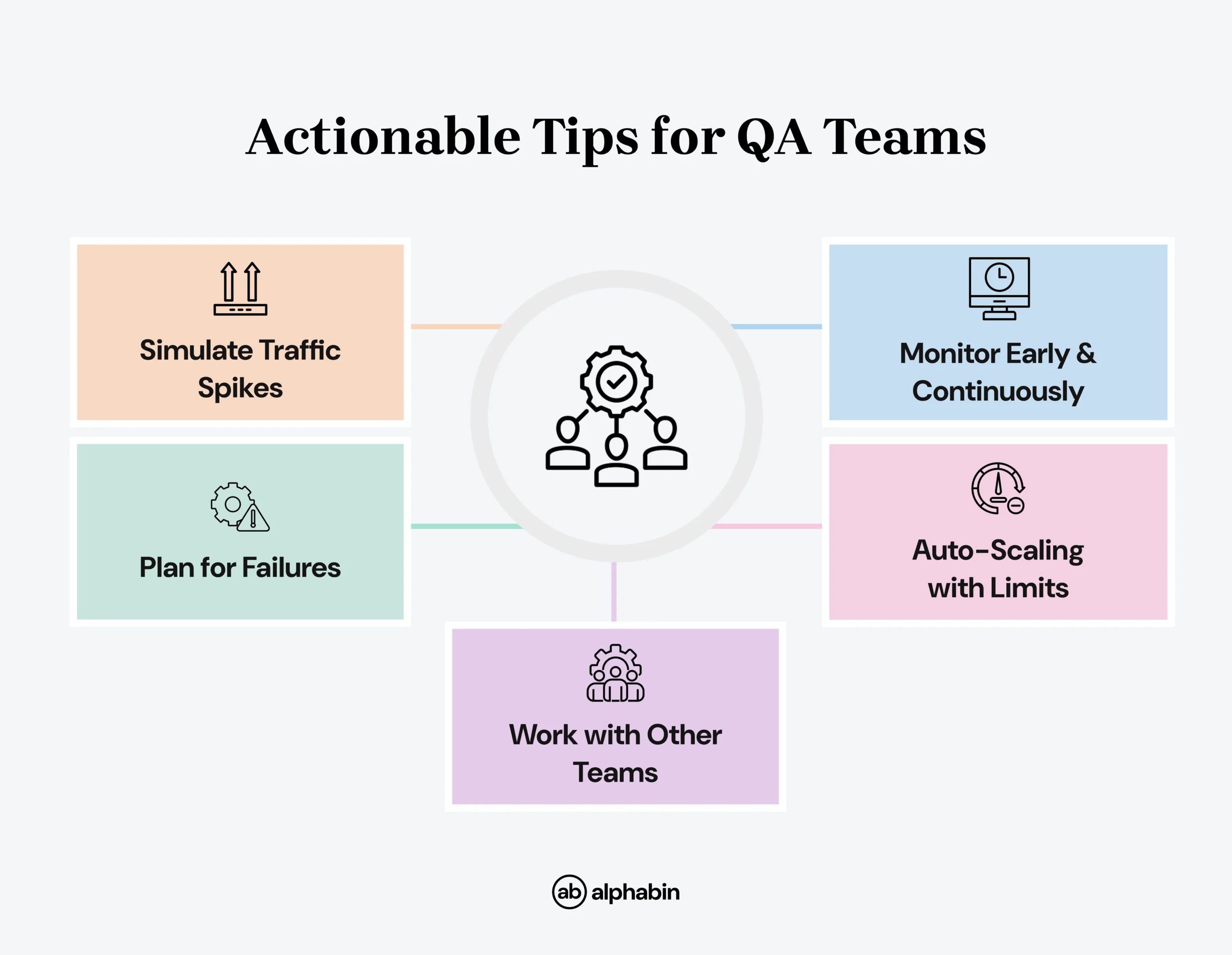
Actionable Tips for QA Teams
Simulate Traffic Spikes: Don’t just test steady traffic. Create scenarios where traffic suddenly jumps 5-10x to see if the system can handle it.
Monitor Early & Continuously: Measure track latency, CPU/GPU consumption, and error rates starting from the beginning to identify problems before they spread.
Plan for Failures (Graceful Degradation): When the traffic is too great, maintain the essentials running but temporarily disable other non-essential functions.
Auto-Scaling with Limits: Configure auto-scaling but also have the cost and resource limits in place to prevent overspending.
Work with Other Teams: Performance testing is not solely for the QA. Collaborate with DevOps, developers, and product teams to achieve the best outcomes.
Simulates viral traffic and GPU-heavy AI workloads
Pre-built scenarios for SaaS & AI systems
Smooth CI/CD integration
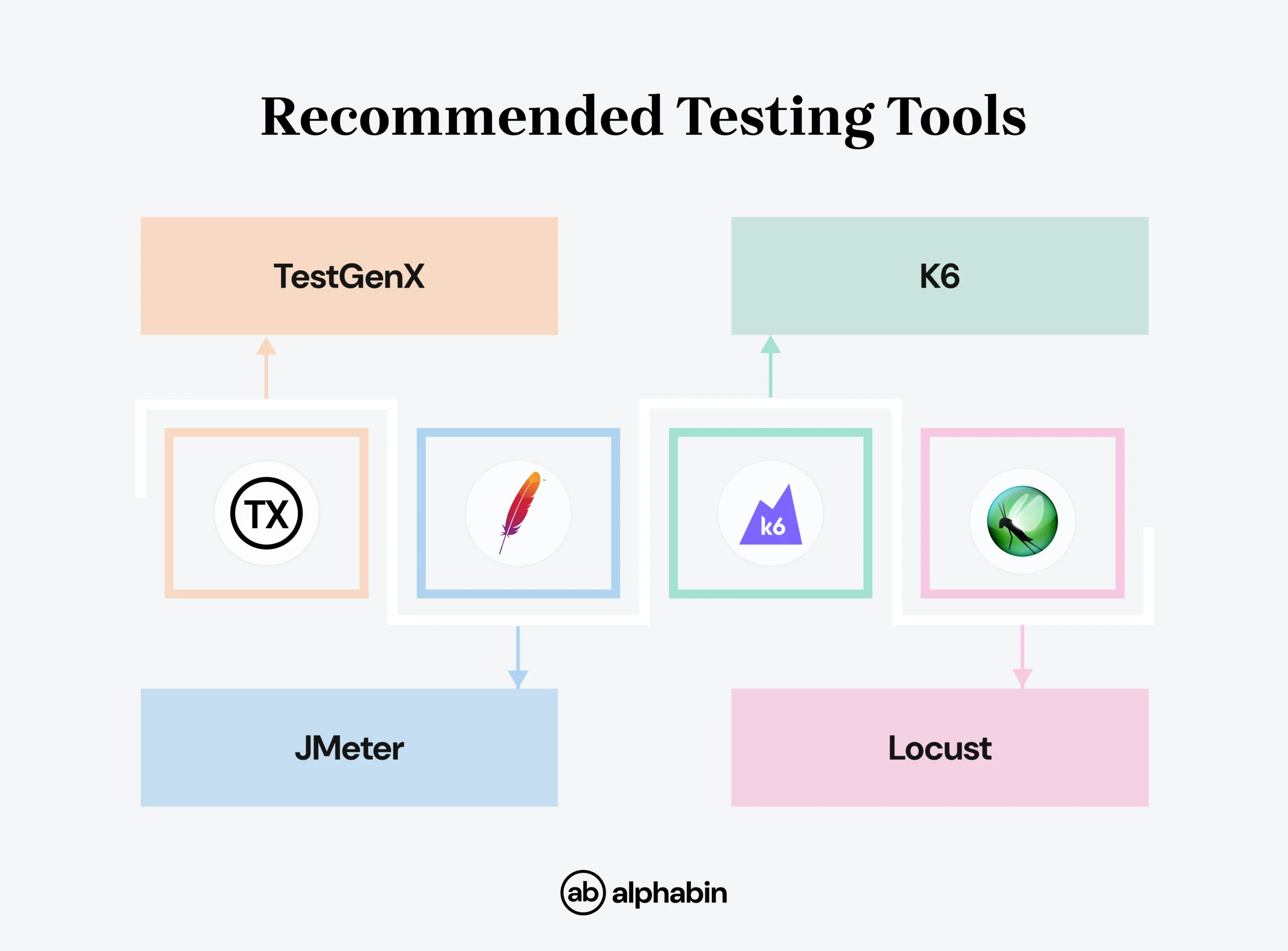
JMeter
Popular open-source tool
Tests web apps, APIs, and backend services
Limited for AI/GPU testing but great for general loads
K6
Scriptable using JavaScript
API and microservice testing
Easy CI/CD integration
Locust
Simulates user behavior with Python
Scales well for large tests
Good for API and web testing
Beyond OpenAI—Trends Impacting QA in 2025
AI-generated content, including art, video, and music, will only grow in popularity. This creates unpredictable traffic spikes across platforms.
QA roles are evolving:
Beyond bug-finding to performance assurance.
Ensuring scalability as AI becomes integral to everyday applications.
Becoming part performance engineer, part traditional QA.
Systems must handle sudden spikes from influencers, AI trends, and viral challenges. Any digital product could go viral overnight, just like the Ghibli trend.
{{cta-image-second}}
Conclusion
The Ghibli trend was more than just an internet sensation — it was a global, unscripted, high-stakes load test. It showed the entire tech community that load and performance testing is no longer optional; it’s essential.
Viral moments don’t come with invitations; they arrive suddenly, testing every assumption your system was built on. OpenAI, with its incredible talent and cutting-edge infrastructure, was caught off guard by unpredictable demand.
Not because they lack expertise, but because no system is ever fully prepared for the chaotic nature of the internet. This moment serves as a powerful reminder: even the most advanced platforms can stumble.
For QA teams, this is more than a lesson — it’s a mandate. Be proactive, not reactive. Plan for the unexpected. Design for uncertainty. The next viral wave, challenge, or trend could already be brewing on social media.
Will your system be resilient enough to ride it smoothly — or will it crash under pressure?
Therefore, in this article, we will discuss the risks, typical obstacles, and concrete techniques for ensuring your website performs well under high-traffic stress.
To proactively address these problems before they impact customers, collaborate with our expert Automation Testing Services.
What Happens When Websites Crash on Black Friday? (And How to Avoid It!)
These power failures cause not just monetary loss but also diminish customer confidence during peak times like Black Friday, which require smooth transactions. Technology issues can cause customers to change their brands, affecting profits and loyalty in the long run.
Several firms have faced the effects of website problems. For example, Boots, a health and beauty giant, recently saw an increase in demand, necessitating the adoption of a temporary queueing system to manage the traffic. Following this quick adjustment, the website returned to its normal state. These situations reveal how critical resilient infrastructure is for accommodating abrupt traffic increases.
Companies should focus on load testing, scalable servers, and real-time monitoring to manage Black Friday sales spikes effectively.
{{cta-image}}
Top Reasons Why Websites Crash During Black Friday Sales
Black Friday Sale is an event that can provide a great opportunity for online businesses, but at the same time, it is a huge challenge: dealing with high levels of influx in traffic across websites. Here are the reasons websites often get down during this period and how to fix these issues.
Find Out if Your Website Can Manage 10x More Visitors
Traffic volumes rise on Black Friday, frequently by ten times or more. If the website’s hosting server configuration isn’t elastic or can’t scale out, such high traffic can be infeasible to manage. Stress indicators include sluggish page loading times, server issues, and, ultimately, a total system failure. Because most cloud hosting solutions are natural autoscaling, selecting scalable resources is crucial.
Backend Weak Points: How Databases and Servers Can Fail Under Pressure
A large volume of traffic can have a significant impact on your databases, servers, and application layers. Bottlenecks caused by slow database queries, lack of server resources, or incorrect load balancer configurations can severely impact website performance and disrupt customer transactions. Improving database efficiency and performing routine stress testing can assist in detecting and addressing vulnerabilities.
Third-Party Dependencies and How APIs and Payment Gateways Can Be Your Achilles Heel
During these events, practically every website uses third-party services like payment gateways and APIs to perform shipping and inventory management functions. So, if those services are unavailable, your website may experience downtime. This risk can be minimized by providing backup systems and correctly verifying the reliability of all third-party integrations.
Lack of Preparation: The Hidden Risks of Skipping Load Testing
Load testing targets are also very important at critical moments when traffic is high. Without simulations of projected traffic on the system, all failure sites are unlikely to be discovered until it is too late. Regular testing and ensuring that these critical features are implemented under high-pressure scenarios guarantees that the system is prepared to handle the Black Friday surge.
Your Black Friday Website Readiness Questionnaire
When getting ready for Black Friday, it should not be just about making sure the server can handle the load but also focus on the key areas that can create obstacles to website functioning. Here is a list to assess if your website is prepared for a sudden increase in traffic:
Have You Simulated Expected Traffic Volumes?
Assessing the traffic frequency during such events can help in ensuring effective website performance. Check if your e-commerce store website’s server can bear the sudden increase in traffic. Perform e-commerce testing to identify potential bottlenecks and ensure smooth scalability.
Is Your Infrastructure Ready for Stress and Scalability Testing?
An expandable infrastructure is essential for handling varying levels of traffic. Is your hosting provider capable of providing automatic scaling cloud solutions? Stress testing guarantees your servers and databases can manage sudden spikes, while a resource expansion plan avoids disruptions during surges.
Are Your Checkout and Cart Systems Resilient?
Customers get frustrated and abandon their shopping carts if there is any delay in processing transactions. All the back and forth has brought us to this crucial part about Black Friday sales, the checkout, and the cart features of the businesses. In this sense, consider high traffic as a necessity while stress testing the systems to make sure that there are no performance lags during peak time
Have You Tested Your Payment Gateway Under Heavy Load?
If the payment gateway does not work, customers will give up on their purchases. Testing your payment gateway under high-volume conditions is crucial to guarantee it can manage the traffic of Black Friday smoothly, without any issues or delays.
How to Prepare Your Website for Black Friday With Performance Testing Best Practices
Performance testing is essential for managing the high traffic volume during Black Friday. Decreased profits and negative brand perception are inevitable with slow-loading sites, crashes, or outages. Here’s how to prepare effectively for Black Friday performance testing:
Run Stress Tests: Test the limits of your website by exceeding its anticipated capacity to see how it performs when experiencing extreme loads. Through stress testing, you’ll understand when your website may fail and how it rebounds, preparing it for Black Friday’s heavy traffic.
Test for Scalability: Make sure your website can expand automatically to handle unexpected traffic increases. It’s essential to carry out some testing on your infrastructure since Black Friday is marked by unexpected spikes in traffic that can change the demand for all its users fairly quickly.
Check Your Checkout Process: Shopping carts & checkout interfaces should be test-run on a busy load where simultaneous transactions are—as a norm—expected to take place without a glitch. Optimize payment gateway performance, so they integrate flawlessly, even during the high-volume rush of Black Friday sales.
Monitor Real-Time Performance: By using tools like New Relic and Datadog, you can track your website’s performance live, allowing you to detect and resolve issues promptly and allocate resources where they’re most needed. These tools allow for tracking of the enabled website and even removing post-enabling challenges that can occur later.
By implementing these recommended techniques, your website will be prepared to manage the influx of Black Friday visitors and offer a seamless shopping experience.
{{cta-image-second}}
Emergency Protocols for a Flawless Black Friday Experience
Make sure the website performs well on Black Friday by preparing infrastructure and emergency protocols to manage unexpected issues efficiently. Here is how you can handle these unexpected issues:
Backup Servers: Make sure backup servers are prepared to manage extra workload in case the primary servers malfunction or decrease speed.
Alert Systems: Set up automated alert systems for crucial problems (server outages and payment gateway issues) to prompt instant reactions.
Quick Response Team: Ensure a committed technical team is ready to handle and resolve issues quickly.
Load Balancing: Incorporate load balancing to evenly spread traffic among servers and avoid causing overloads.
Wrapping Up!
An unhindered shopping experience during Black Friday can determine the success of your online business. Performance testing ensures your website’s resilience, protecting revenue, customer loyalty, and brand reputation even under the heaviest traffic. In addition to preventing crashes, this preparedness improves user experience, which boosts customer loyalty and sales.
Collaborate with Alphabin to enhance the website performance of your e-commerce site and create seamless shopping experiences for your users.
The cloud has turned the environment of application development and deployment. Since the worldwide outbreak, some businesses have transferred to cloud testing services and technology, with an incredible 37% year over year rise after 2020. Cloud environments enable scalability, flexibility, and cost-effectiveness, making them perfect for modern applications.
Cloud-based testing helps in identifying challenges, measuring scalability, and ensuring that applications can manage expected and exceeded user loads. By proactively resolving performance concerns, you may avoid disruptions assure seamless operation, and ultimately offer the quality that consumers expect.
Different performance testing in cloud environment
The wonderful thing about cloud availability is that it supports a wide range of domains through various cloud environment types. Here are a few of them:
Infrastructure as a Service (IaaS)
Provides the most control over resources (virtual machines, storage, and networking) but requires the most configuration and management effort. Performance depends on the chosen resources and configuration.
Platform as a Service (PaaS)
Offers a development platform with pre-configured resources. Provides a balance between control and ease of use. Performance may be limited by the underlying infrastructure offered by the provider.
Software as a Service (SaaS)
Delivers complete applications over the Internet. Least control over resources but is the easiest to use. Performance depends entirely on the provider’s infrastructure.
Understanding Cloud Performance Testing
The practice of assessing an application’s performance that has been deployed in a cloud environment is called cloud performance testing. It assists in measuring scalability, locating any bottlenecks, and confirming that the application satisfies performance goals under varied load scenarios.
Key cloud performance testing metrics
Response Time Time taken for the application to respond to a user request.
Throughput The number of requests handled in a certain amount of time.
Scalability Ability of the application to handle an increasing user load.
Resource Utilization How efficiently the application utilizes cloud resources (CPU, memory, and network).
Concurrency Ability of the application to handle multiple user requests simultaneously.
Types of cloud performance testing
Cloud-based testing encompasses various approaches, each targeting specific aspects of application behavior under load. A range of techniques and methodologies are tailored to assess different aspects of app performance in the cloud environment.
Load Testing
Cloud performance testing simulates increasing user loads to find performance bottlenecks. For an e-commerce site during a holiday sale, it progressively increases concurrent users to see if the system can handle the load without crashing. Key metrics are response time, throughput, and resource utilization. For more details, see our guide on Concepts and Metrics of performance testing.
Stress Testing
Stress testing, also known as load testing, aims to evaluate an application’s performance under extreme conditions. By simulating a high volume of user logins and transactions, we can identify the application’s breaking point, determine system limits, and ensure stability under peak loads. This helps in understanding how the system behaves under pressure and in planning for capacity and scaling.
Scalability Testing
Scalability testing evaluates an application’s ability to scale resources to handle increased traffic without compromising performance. For example, a cloud-based video streaming service, it gradually ramps up user load to observe how well the system scales, such as by adding more servers. The objective is to ensure optimal performance under increased traffic. Key metrics include resource allocation, response time, and auto-scaling efficiency.
Soak Testing
Soak testing simulates sustained user load over extended periods to uncover stability issues. For example, in a social media platform, tests run for hours or days to detect memory leaks, database connection issues, and performance degradation. The objective is to identify long-term issues that may not be apparent in shorter tests. Key metrics include memory usage, response time consistency, and system stability.
Spike Testing
Spike testing simulates sudden bursts of traffic to assess an application’s responsiveness. For example, a ticket booking website might test a surge in user requests when tickets for a popular event go on sale to see if the system can handle the spike without crashing. The objective is to evaluate the system’s ability to manage sudden increases in load. Key metrics include response time during the spike, error rates, and system recovery time.
Cloud performance testing best practices
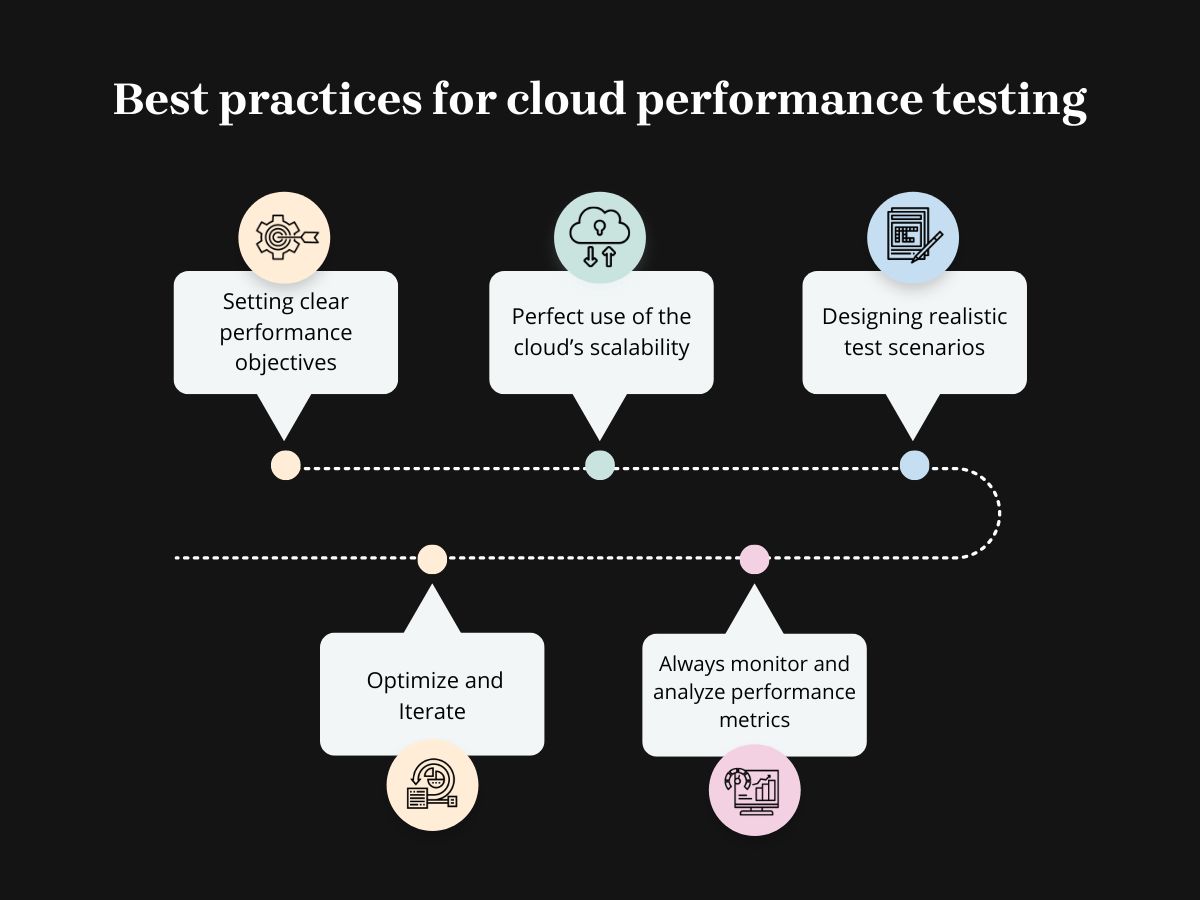
Now let’s get down to the main objective of this blog post, the five most effective practices or strategies that every quality assurance engineer must adopt for cloud performance testing.
1. Setting clear performance objectives
Driving a car without a destination is like performance testing in cloud without clear objectives: you lack a roadmap to guide your efforts and measure progress. Clearly defined objectives are crucial—they ensure you gather meaningful data and know when you’ve achieved your testing goals.
The SMART framework helps establish focused and achievable performance goals. Here’s how to apply it:
Specific: Clearly define what to improve (e.g., reduce response time by 20%). Ex: Keep response times under 500 ms during peak hours and weekends, and maintain 99.9% uptime over a month.
Measurable: Track progress with metrics (e.g., average response time). Ex: Support a high number of concurrent users without exceeding 500 ms response time.
Achievable: Set realistic goals based on resources. Don’t aim for a 1-second response time if your application relies on complex calculations. Ex: Test with a dummy promotional event to handle the expected surge.
Relevant: Align business goals with user expectations to optimize UX. Ex: Prioritizing features that improve user experience (e.g., faster checkout) which in turn benefits the business (e.g., higher sales).
Time-bound: Set a timeframe to achieve goals. This creates a sense of urgency and helps prioritize testing efforts. Ex: Meet these targets before the holiday shopping season.
2. Perfect use of the cloud’s scalability
Cloud environments offer unmatched scalability through dynamic resource provisioning and de-provisioning in response to demand. This flexibility enables testers to replicate real-world scenarios with varying user activity and workload levels.
Unlike traditional on-premises infrastructure, cloud platforms provide instant scalability without the need for manual intervention. This makes it easier to conduct performance tests at scale, accommodating varying workloads and user activity levels seamlessly.
Types of performance scaling tests
Horizontal scaling tests: Add more application instances (horizontal scaling) to assess how the app behaves when distributed across multiple servers. This helps determine if your application can leverage horizontal scaling for increased capacity.
Vertical scaling tests: Increase resource allocation (CPU, memory) for a single application instance (vertical scaling) to measure performance gains with more powerful hardware. This helps identify if resource limitations are causing any bottlenecks.
Before and After cloud performance testing for an E-commerce platform.
The expected response time for the example project is 100 ms of response time.
3. Designing realistic test scenarios
Imagine testing a social media app with just login scenarios. It wouldn’t reflect real-world usage where users post content, interact with friends, and upload photos. Realistic test scenarios that mimic user behavior are crucial for uncovering potential performance issues that might arise during the actual use of the product.
Let’s look at how you could craft realistic scenarios:
User persona development: Create user personas representing different user types (e.g., casual browser, frequent poster, mobile user). Each persona should have a defined set of actions they perform within the application.
Think like a user: Map out typical user journeys, including login, browsing content, performing actions (e.g., posting a video, posting comments), and logout.
Load balancing: Simulate different user loads throughout the day. Morning login surges, peak traffic during business hours, and evening entertainment usage patterns should all be reflected in your test scenarios.
4. Always monitor and analyze performance metrics
Not monitoring and analyzing performance metrics is like conducting a science experiment without observing the results. Performance testing without real-time monitoring leaves you blind to the impact of your tests. Monitoring allows you to track key metrics and identify performance issues during testing.
Key KPIs to look out for during testing:
Response time: The amount of time it takes a program to reply to a request from a user. This is an essential user experience metric.
Throughput: The number of requests processed per unit time. This indicates how efficiently your application handles concurrent user activity.
Resource utilization: Track CPU, memory, and network usage to identify if resource limitations are causing performance issues.
Error rates: Monitor the number of errors encountered during testing. A spike in errors could indicate overloaded servers or application bugs.
Concurrency: Measure how well the application handles multiple user requests simultaneously. High concurrency issues can lead to slowdowns or crashes.
The majority of cloud service providers have integrated monitoring tools or third-party platform interfaces, such as Middleware, Datadog and New Relic. These tools let you efficiently monitor performance indicators using real-time dashboards, visualizations, and alerts.
5. Optimize and Iterate
Test results are a gold mine for optimizing your cloud infrastructure. By analyzing the test results and resource limitations, you can:
Right-size resources: Adjust virtual machine configurations (CPU, memory) to ensure efficient resource usage without overpaying.
Auto-scaling: Implement automation testing that automatically scales resources (up or down) based on real-time demand. This helps maintain optimal performance while avoiding unnecessary costs.
Caching: Use caching techniques to save data that is accessed often, which will lighten the strain on the application server and speed up response times.
The importance of iterative testing
Performance optimization is an ongoing process, it’s not a one-time thing, rather, there is always an opportunity to optimize the product to a level further beyond the threshold. Here’s why iterative testing is crucial:
Shifting business needs: As your business grows and user demands evolve, performance needs might change. Iterative testing helps adapt your cloud infrastructure to stay one step ahead of these changing requirements.
Evolving cloud landscape: Cloud providers constantly introduce new features and services. Iterative testing helps ensure your application takes advantage of these advancements for optimal performance.
Continuous improvement: Regular performance testing with evolving application features and usage patterns helps identify new bottlenecks and ensure ongoing performance excellence.
Top cloud performance testing tools
The best cloud-based testing tools for you will depend on your budget and unique requirements. Here is a summary of several well-liked choices, with an emphasis on their features, advantages, and special features.
PFLB
PFLB (Performance-Focused Load Balancer) is a cloud-native load balancing solution designed to optimize performance by distributing traffic across multiple instances. It uses real-time performance metrics to ensure efficient resource use and minimal latency for users.
Pros of PFLB:
Ability to seamlessly scale with increasing traffic volume, accommodating growing application demands without manual intervention.
The fault-tolerant architecture of PFLB ensures high availability and reliability, minimizing service disruptions.
PFLB offers intuitive configuration options, allowing users to define routing rules and load-balancing algorithms effortlessly.
PFLB’s unique selling point lies in its ability to prioritize performance optimization while maintaining fault tolerance and scalability. By dynamically adjusting traffic routing based on real-time performance data.
SOASTA CloudTest
SOASTA CloudTest is an adequate performance cloud testing platform that enables organizations to simulate real-world user behavior, analyze app performance, and identify bottlenecks. It offers a range of features, including load testing, stress testing, and real-user monitoring.
Pros of SOASTA CloudTest:
An easy-to-use interface offered by SOASTA CloudTest makes it easier to create, run, and analyze tests.
SOASTA Cloud Test provides a unified platform for all your performance testing needs, eliminating the need for multiple tools.
The platform offers visual scripting capabilities alongside traditional code-based testing, making it accessible to testers with varying technical skill sets.
CloudTest’s selling point lies in its ability to offer end-to-end performance testing capabilities, from test creation to result analysis. By providing a solution for load testing and monitoring.
K6
Using K6, an open-source performance testing tool, we can create JavaScript test scripts and run large-scale tests. Because of its developer-friendly architecture, teams can easily integrate cloud software testing into their pipelines for continuous integration and delivery.
Pros of K6:
K6 is lightweight and efficient, making it suitable for testing applications of any size or complexity.
Leverages JavaScript (ES6) for writing test scripts, offering a familiar and efficient language for developers.
K6 integrates seamlessly with cloud environments and containerization technologies like Docker.
K6’s selling point lies in its simplicity and flexibility. By leveraging the power of JavaScript for test scripting, K6 enables us to create and execute performance tests with ease, facilitating rapid feedback loops and continuous improvement.
Gatling
A Scala-written high-throughput load testing tool for assessing application performance and simulating concurrent users is called Gatling. It is appropriate for testing complex web applications and APIs since it has a strong scripting engine and extensive reporting features.
Pros of Gatling:
Being open-source, Gatling offers greater flexibility and customization compared to some commercial tools.
Gatling can handle large-scale load testing scenarios effectively.
Gatling provides a wide range of features, including performance reports, comprehensive data analysis, and integration with CI/CD pipelines.
Gatling is a powerful option for experienced testers or development teams comfortable with Scala. It provides extensive features, scalability, and the flexibility of an open-source solution.
Conclusion
Cloud performance QA plays a pivotal role in this endeavor by enabling organizations to proactively identify and address performance issues, optimize resource utilization, and ensure the reliability and scalability of cloud-based applications.
As businesses increasingly rely on cloud-based solutions, ensuring exceptional cloud application performance has become a fundamental for success. That’s where Alphabin comes in. We are a trusted partner for businesses seeking to optimize their cloud applications. Our team of performance quality professionals will provide you an upper hand when it comes to performance quality.
Performance testing makes sure applications perform well as per user’s expectations for speed and dependability. Knowledge of its concepts and metrics is essential for achieving smooth digital experiences. From load testing to response times, this blog discusses key elements vital for all engineers in their quest towards software perfection – both veterans and beginners alike.
Performance testing metrics explained
Understanding the measurements in performance assurance is key. This is needed to properly judge a system’s performance. Concepts like response time, throughput, and resource use show helpful knowledge of the system’s actions under different situations.
Why are testing measurements important?
Grasp the necessity of assessing measurements in performance testing
Metrics aid stakeholders in smart decision-making about sharing resources.
They assist in establishing performance targets and monitoring growth towards them.
Offers instant updates on app, system, and network efficiency.
Informs choices to improve software value and effectiveness through solid metrics.
Evaluates the effectiveness of the performance testing process.
Types of performance testing measures
There are various types of performance testing metrics ranging from page load time distribution to browser compatibility.
Page Load Time Distribution Analyzes the distribution of page load times across different user segments or geographical locations.
DOM Content Loaded Time Tracks the time taken for the Document Object Model (DOM) content to be fully loaded, affecting page interactivity.
Resource Loading Time Measures the time taken for CSS, JavaScript, images, and other resources to be fully loaded, impacting overall page performance.
Client-Side Latency Evaluates the delay experienced by the client in processing and rendering server responses, affecting user experience.
Time To First Byte (TTFB) Measures the time from requesting a page to receiving the first byte, indicating server responsiveness.
JavaScript Execution Time Tracks the time taken for JavaScript code to execute, impacting page responsiveness and user interactions.
Browser Compatibility Assesses the performance consistency across different web browsers and versions, ensuring a seamless user experience for all users.
Essential performance testing concepts to keep in mind
Remember these key points for effective performance testing.
Baseline Performance Establishing a baseline performance metric is essential for comparing and measuring improvements or regressions in system performance over time.
Scalability vs. Performance Understanding the difference between scalability and performance is crucial. While scalability refers to the system’s ability to handle increased workload, performance focuses on the system’s responsiveness and efficiency under specific conditions.
Peak Load vs. Stress Load Distinguishing between peak load and stress load scenarios helps in simulating realistic conditions and identifying system limitations. Peak load refers to the maximum anticipated workload, while stress load tests the system’s resilience under extreme conditions beyond its capacity.
Response Time vs. Latency Differentiating between response time and latency is vital. Response time measures the time taken for a system to respond to a request, while latency refers to the delay in transmitting data between two points.
Virtual Users and Concurrent users Understanding the difference between virtual users and concurrent users is essential for designing realistic test scenarios. Virtual users simulate user interactions with the system, while concurrent users represent the number of users accessing the system simultaneously.
Testing Environment Creating a representative testing environment is critical for accurate testing. Factors such as hardware configuration, network conditions, and test data can significantly impact test results.
Analysis and Reporting Effective analysis and reporting are essential for deriving actionable insights from performance test results. It involves identifying performance bottlenecks, prioritizing optimization efforts, and communicating findings to stakeholders for informed decision-making.
Concept and Metrics comparison amongst popular tools
Concept/Metric
JMeter
K6
LoadRunner
Gatling
Protocol Support
HTTP, HTTPS, SOAP, JDBC, JMS, LDAP, SMTP
HTTP, WebSocket, Socket.IO, gRPC
HTTP, HTTPS, Web Services, Citrix, Oracle, SAP
HTTP, WebSocket, Server-sent events
Real-time Metrics
Apache Groovy
JavaScript
C, JavaScript
Scala, Gatling DSL
Scalability Testing
Distributed Testing, Master-Slave Architecture
Cloud Execution
Controller-Managed Load Generation
Distributed Testing
Scripting Language
Response Time, Throughput, Error Rate
Response Time, Virtual Users, RPS (Requests per Second)
Transaction Response Time, Throughput, Hits per Second
Response Time, Requests per Second
Resource Utilization
CPU, Memory, Threads, Disk I/O
CPU, Memory, Bandwidth
CPU, Memory, Network Bandwidth
CPU, Memory, Network Usage
Reporting
HTML, CSV, XML, Dashboard Reports
JSON, CSV, HTML
HTML, PDF, Microsoft Word
HTML, JSON, CSV
Extensibility
Custom Samplers, Pre and Post Processors
Built-in Modules, Extensions
Integrates with IDEs, Custom Plugins
Plugins, Customizable DSL
Conclusion
With these fundamentals in hand, you’re well on your way to building applications that users love and businesses thrive on. Stay tuned for our upcoming blog series where we’ll delve deeper into specific tools and techniques to help you master the art of performance QA.
Remember, Alphabin is always here to support your journey. Contact ustoday to learn how our testing tools and expertise can help you achieve your goals!
Picture struggling with an online shopping cart that moves slower than a dial-up connection on Black Friday—frustrating, right? That’s where performance testing comes in—ensuring smooth video streaming, lag-free online gaming, and apps that respond faster than expected.
What does Performance testing mean?
Performance testing for beginners doesn’t just relate to a software’s features and functionalities. It’s also about its speed and stability. Performance testing is a type of non-functional software testing. It checks the system’s performance with different loads. This includes checking its stability, how it scales, and its speed. With this testing, the software can become faster, more stable, and more trustworthy.
Pros of performance testing
Prevents Downtime: Identifying and resolving performance issues before deployment helps prevent unexpected downtime.
Optimizes Resource Usage: Performance testing involves various user loads and scenarios. In return, it optimizes the use of resources for better hardware efficiency.
Cost Savings: It’s expensive to fix performance issues once deployed. Identifying them early through testing protects time and resources.
Cons of performance testing
Limited Scope: Real-world scenarios are mimicked during testing, but it’s tricky to anticipate every single user interaction.
Investment of time: Setting up and executing thorough software performance testing requires time, effort, and skilled personnel This can be a significant investment, especially for smaller teams.
Potential overtesting: Over-testing can be counterproductive, consuming resources without significantly improving performance.
Performance Testing Process
A step-by-step strategic steps to enhance software performance through a systematic testing process.
Explore various kinds of performance testing
Let’sdelve into different types of performance quality assurance, each designed to assess specific aspects of your app’s behavior under pressure.
Load Testing This testing is used to assess how a system will behave under both typical and peak loads. In order to ensure the stability and effective operation of software applications, load testing is performed prior to deployment in order to remove performance bottlenecks. During load testing, you should ramp up the VU to a respectable level, keep it there for a set amount of time, and then ramp it down to 0. Look at the sample below, which employs 50 VUs.
Spike Testing The load on the system or software application is abruptly increased or decreased during this testing. To decide if the system will crash or continue to function in the event of a significant change in load, the spike testing is primarily used.
Stress Testing This testing evaluates the system’s availability and stability under high load. The goal of stress testing is to identify the software’s breaking point.
Soak Testing Soak testing puts a system through a lot of load over a long period of continuous availability to see how it behaves in real-world situations. This system-level testing is done to determine whether the system can withstand a high volume of usage or not.
Endurance Testing In endurance testing, software is tested under heavy load for a long period of time in order to assess how it will behave when used continuously. The main goal of endurance testing is to make sure the application can manage increased load without seeing any degradation in response time.
Volume Testing Volume testing involves exposing the software to a significant amount of data. It is additionally known as flood testing. By increasing the amount of data in the database, volume testing is done to evaluate the system’s performance.
Myths of Performance Testing
Busting common misconceptions about Performance Testing. Let’s debunk the most common ones to help you take the leap!
Myth 1 Performance testing is only for large enterprises. Performance testing is crucial for applications of all sizes. Even small apps can face performance issues, and testing early benefits user experience.
Myth 2 Performance testing is expensive. While initial setup may have costs, the long-term benefits far outweigh. Early performance testing can prevent costly issues in production and enhance user satisfaction.
Myth 3 Performance testing is only relevant before launch. Continuous performance testing is vital. Regular tests during development and updates ensure optimal performance and a positive user experience over time.
Myth 4 Performance testing only focuses on response times. Performance testing covers various metrics, including throughput, resource utilization, and scalability, offering a holistic view of application performance.
Conclusion
So, you’ve taken your first steps into the world of performance testing for beginners. Remember, Keep in mind, minor improvements in performance can significantly enhance user experience and business achievements.
Alphabin could be the answer you’re looking for. We have a selection of user-friendly performance testing tools and professional help to aid you in refining your applications for flawless user experiences. Don’t let performance issues trip you up! Get in touch with Alphabin Tech Consulting today and tap into the true capacity of your software. Happy testing!